GenAI Tools & Tips Beyond ChatGPT (EP7)
เจาะลึกสารพัด AI สำหรับงานวิดีโอ
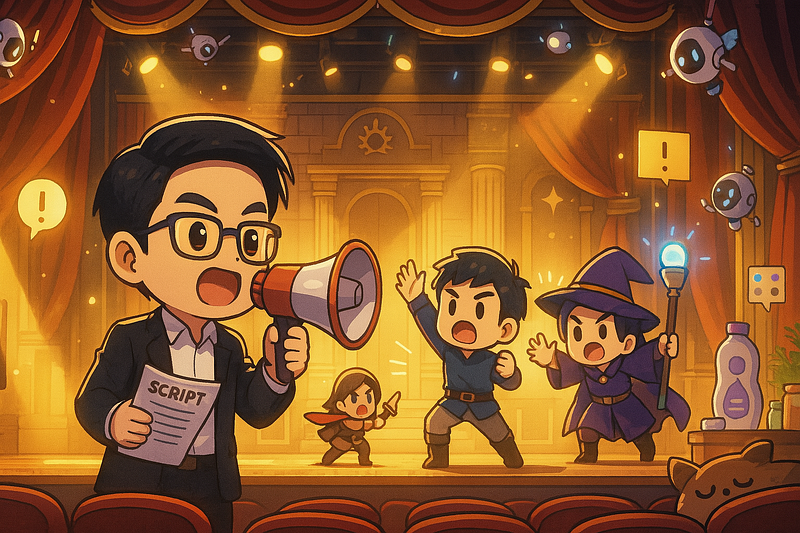
สวัสดีครับ! เดินทางมาถึง EP7 กันแล้วกับซีรีส์ GenAI Tools & Tips Beyond ChatGPT สำหรับ EP นี้ เราจะพาไปทัวร์โลกแห่งวิดีโอแบบเจาะลึก โดยสำรวจเครื่องมือ AI สุดล้ำที่สามารถปฏิวัติกระบวนการทำงานของคุณ ตั้งแต่การสร้างแอนิเมชันจากภาพนิ่งและข้อความ ไปจนถึงฟีเจอร์เฉพาะทางที่ช่วยให้งานของคุณง่ายและรวดเร็วยิ่งขึ้น
สรุปเส้นทางที่ผ่านมา:
- EP1: เริ่มต้นด้วยเครื่องมือถอดเสียงวิดีโอ (VDO Transcriber)
- EP2 และ EP3 สำรวจ Generative AI จากค่าย Google และ Canva
- EP4: เจาะลึกเครื่องมือ AI สำหรับงานสไลด์, Infographic, ดนตรี และการเรียนรู้
- EP5: รู้จัก AI Chatbot ทางเลือก, Co-pilot สำหรับเขียนโค้ด และเครื่องมือสร้างเว็บไซต์/โลโก้
- EP6: ตะลุยโลก AI สร้างภาพ (Image Generation)
ถ้าพร้อมแล้ว มาเริ่มกันเลยครับ!
1. กลุ่มเครื่องมือสร้างวิดีโอจากภาพและข้อความ (Image/Text-to-Video)
เปลี่ยนภาพนิ่งหรือจินตนาการในหัวของคุณให้กลายเป็นวิดีโอเคลื่อนไหวที่น่าทึ่งได้อย่างง่ายดาย
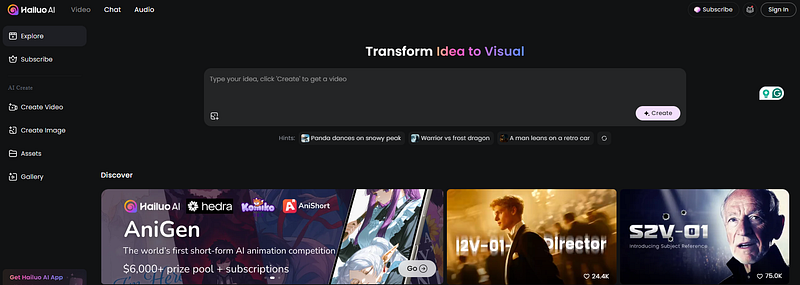
1.1) Hailuo AI
แพลตฟอร์มที่สามารถสร้างวิดีโอและภาพนิ่งจากคำสั่งข้อความ (Prompt) ได้อย่างมีประสิทธิภาพ
- Website: https://hailuoai.video/
- จุดเด่น:
- ระบบเครดิต: มีโบนัสเครดิตให้เมื่อล็อกอินรายวัน (ประมาณ 100 เครดิต)
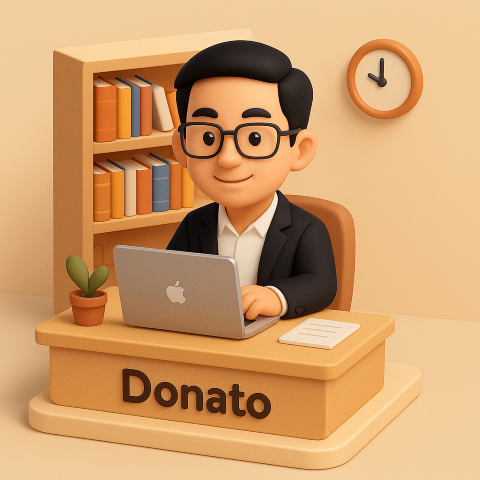
ตัวอย่างการใช้งานที่ 1️⃣
- ภาพต้นฉบับ
- Prompt:
A smiling man in a suit waving goodbye with one hand
- Result → Link → (1,100 credit จะเหลือ 1,070 credit)
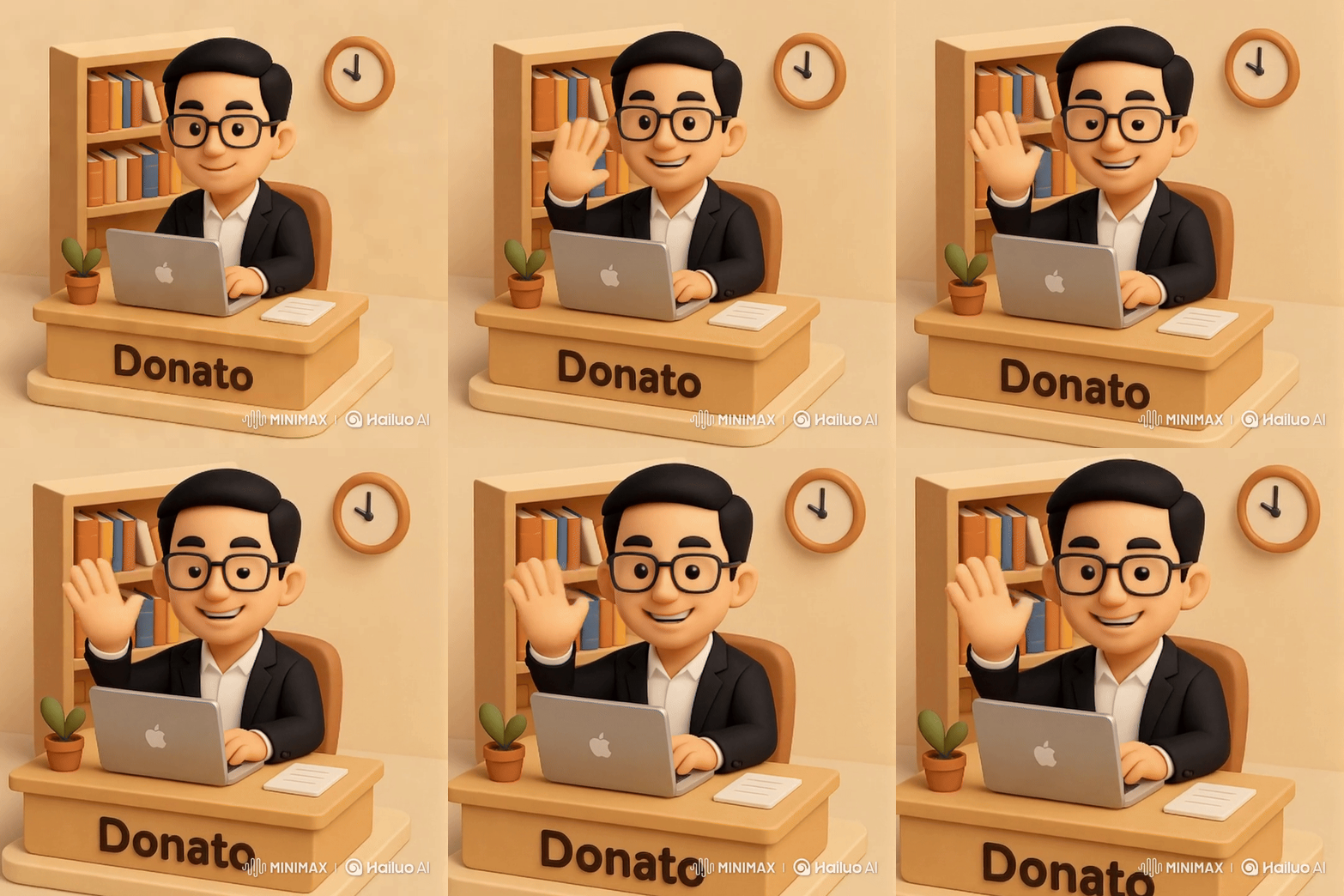
https://hailuoai.video/share/ai-video/AyLyWdaeml1A?source-scene=shared&source-media=shared%5Flink
ตัวอย่างการใช้งานที่ 2️⃣
- ภาพต้นฉบับ
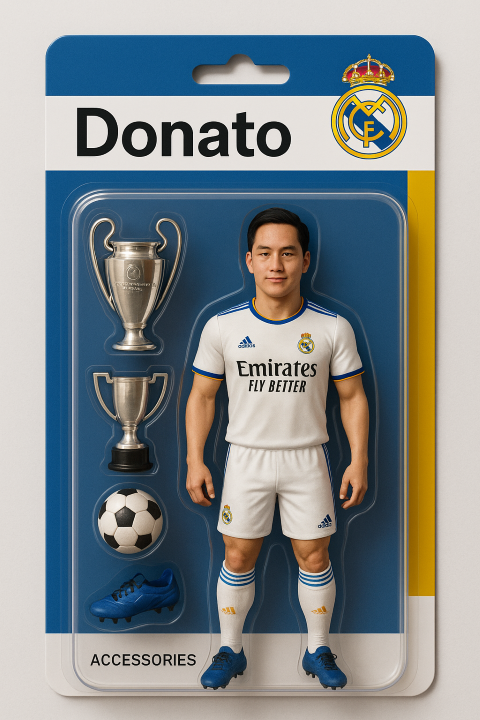
- Prompt:
The man get out of the box and then do a celebratory pose/gesture
- Result → Link
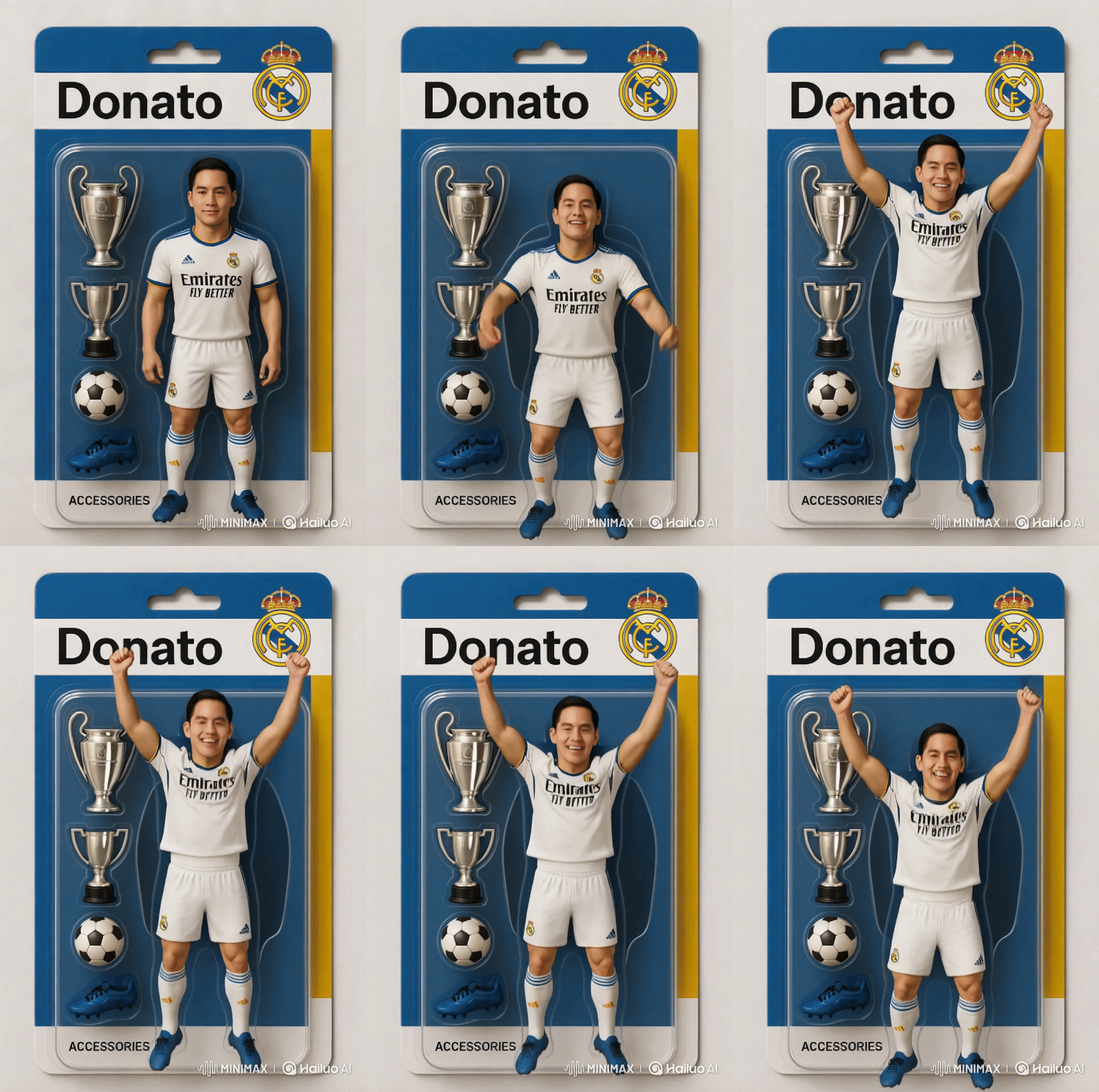
https://hailuoai.video/share/ai-video/RAZzWWnYJj39?source-scene=shared&source-media=shared%5Flink
นอกจาก Feature Image to VDO แล้วยังมีอีกหลายอย่างที่ควรไปศึกษา
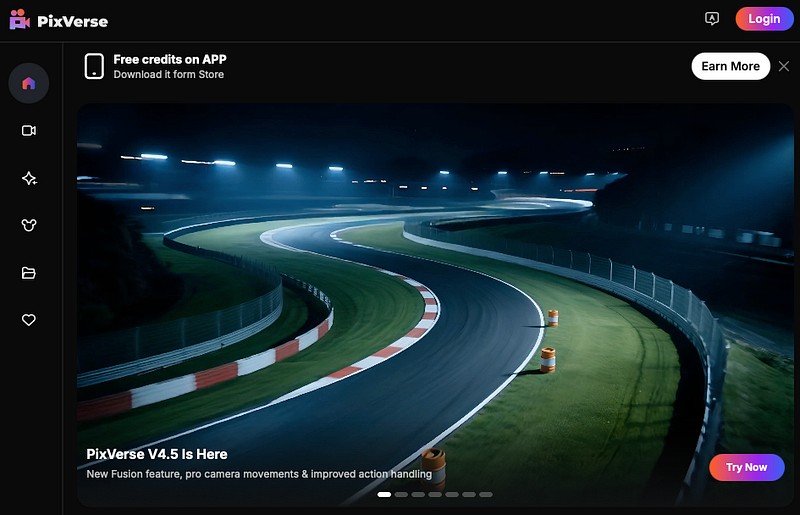
1.2) PixVerse
อีกหนึ่งแพลตฟอร์มยอดนิยมสำหรับสร้างวิดีโอและภาพด้วย AI ที่มีฟังก์ชันหลากหลาย
- Website: https://app.pixverse.ai/home
- จุดเด่น:
- ระบบเครดิต: แจก 60 เครดิตให้ใช้งานฟรีทุกวัน
ตัวอย่างการใช้งานที่ 3️⃣
- ภาพต้นฉบับ และ Prompt แบบเดียวกับงานที่ 1
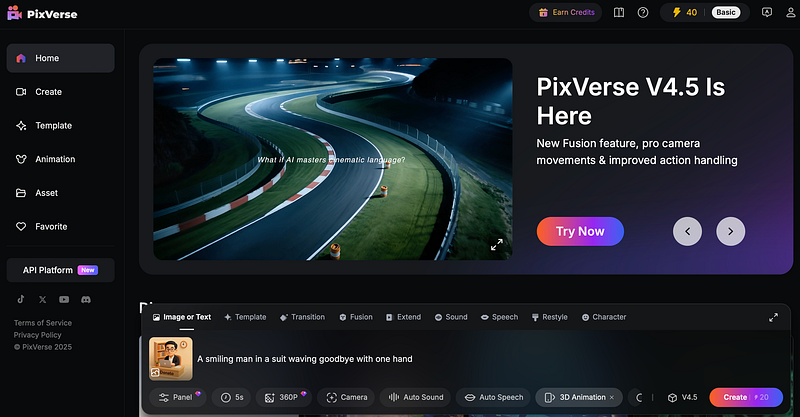
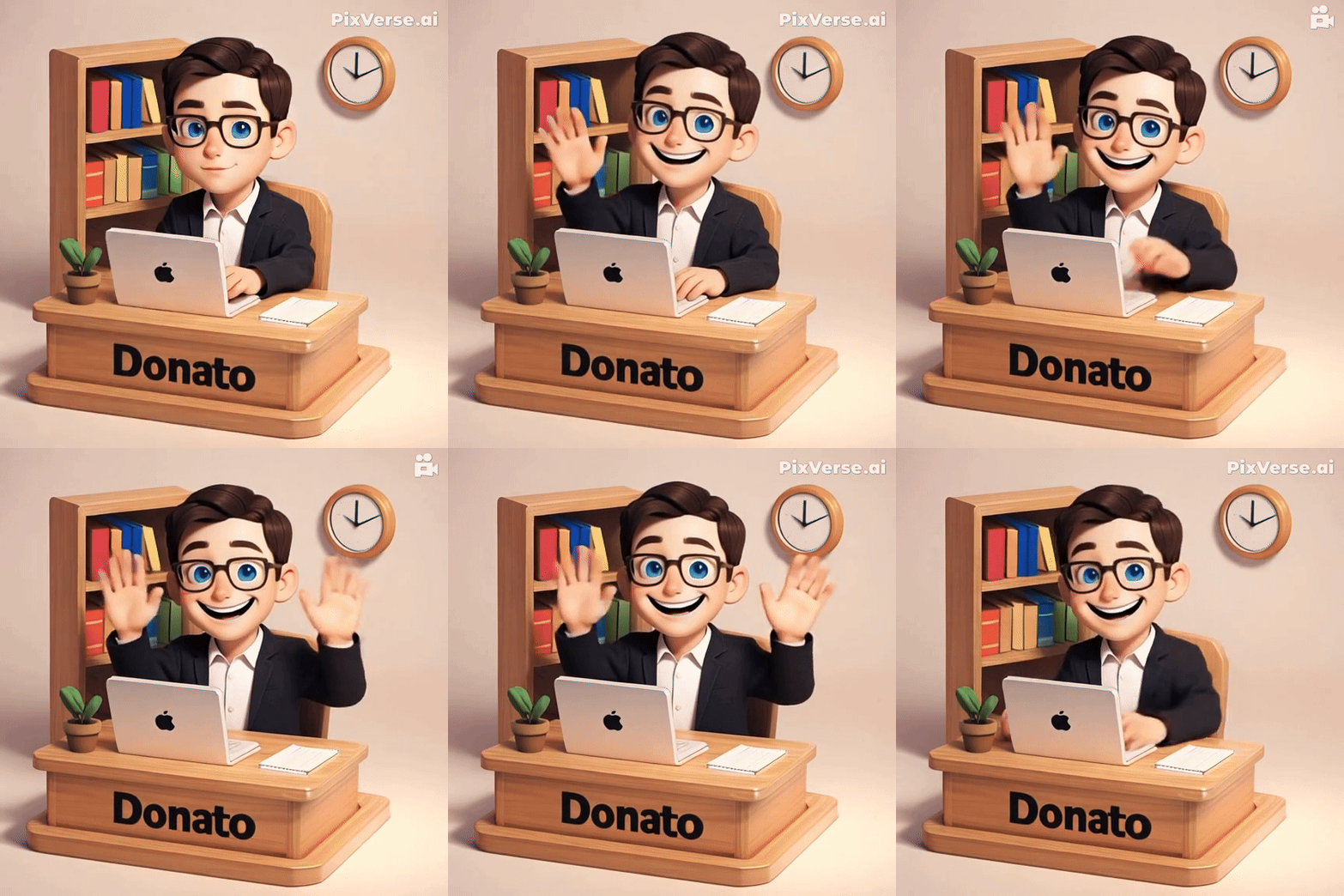
https://app.pixverse.ai/home?detail=show&id=341830690491704&platform=web
ตัวอย่างการใช้งานที่ 4️⃣
- ภาพต้นฉบับแบบเดียวกับงานที่ 2
- Prompt (ให้ ChatGPT เขียนให้ใหม่ คนละแบบกับงานที่ 2)
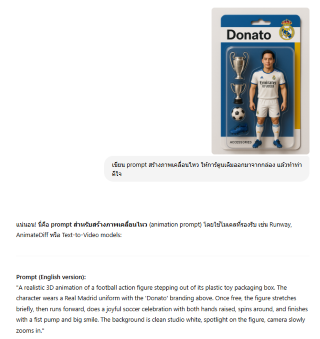
A realistic 3D animation of a football action figure stepping out of its plastic toy packaging box. The character wears a Real Madrid uniform with the 'Donato' branding above. Once free, the figure stretches briefly, then runs forward, does a joyful soccer celebration with both hands raised, spins around, and finishes with a fist pump and big smile. The background is clean studio white, spotlight on the figure, camera slowly zooms in.
- นำไป Run ใน PixVerse

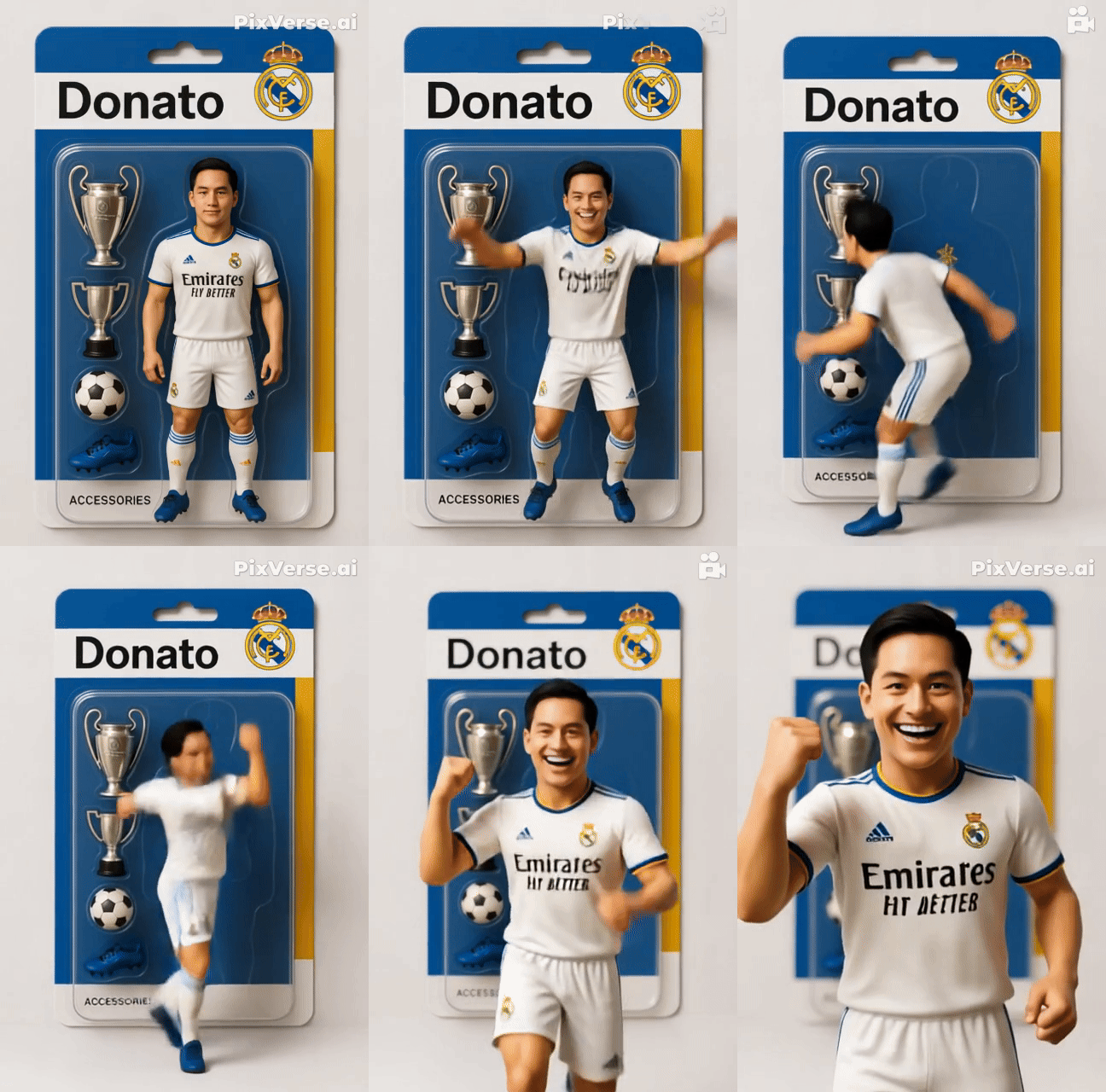
https://app.pixverse.ai/home?detail=show&id=342506224398183&platform=web
- ใครชอบแนวนี้ ลองศึกษาจาก Link นี้ได้นะครับ
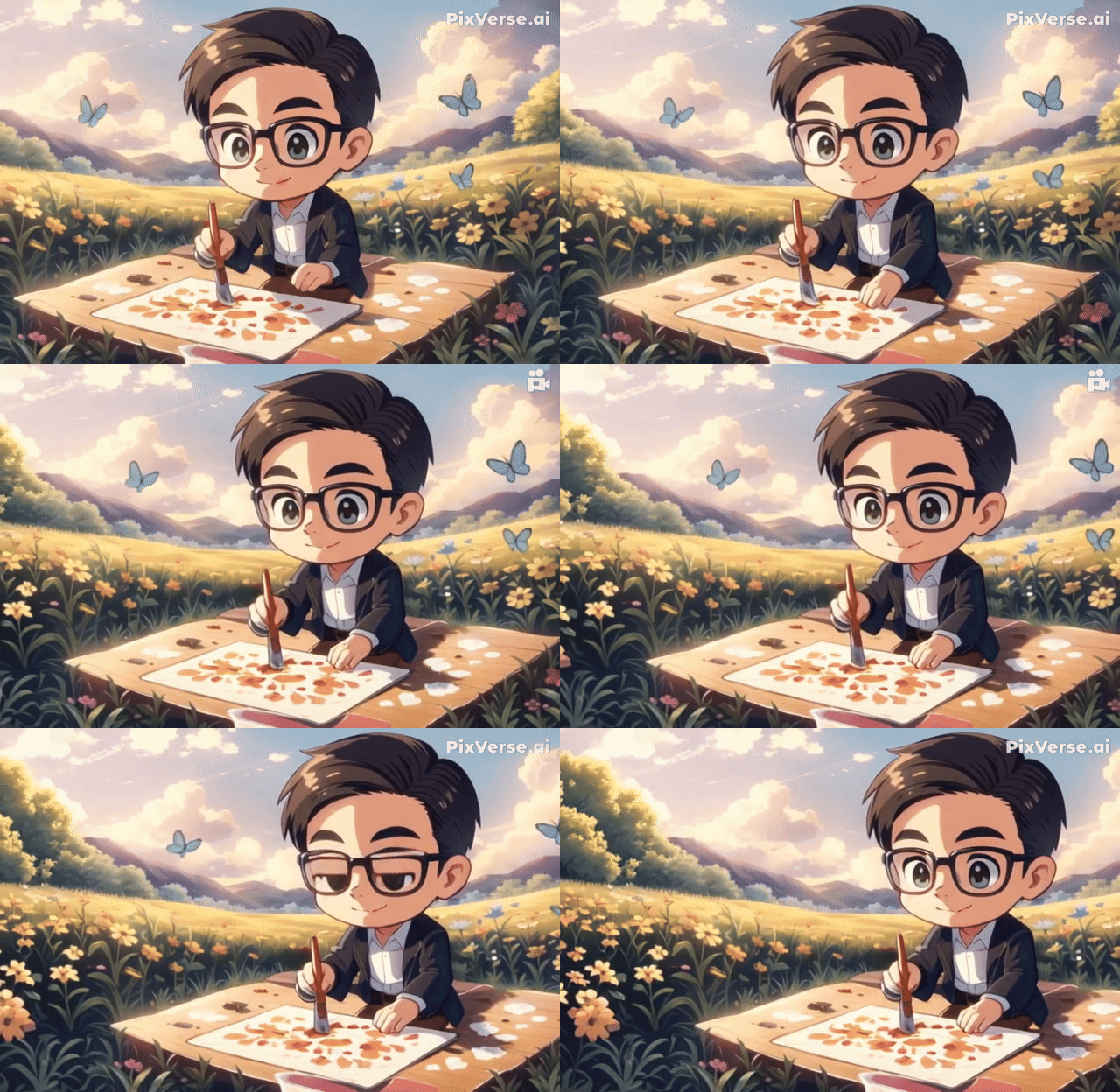
ตัวอย่างการใช้งานที่ 5️⃣
- ภาพต้นฉบับ
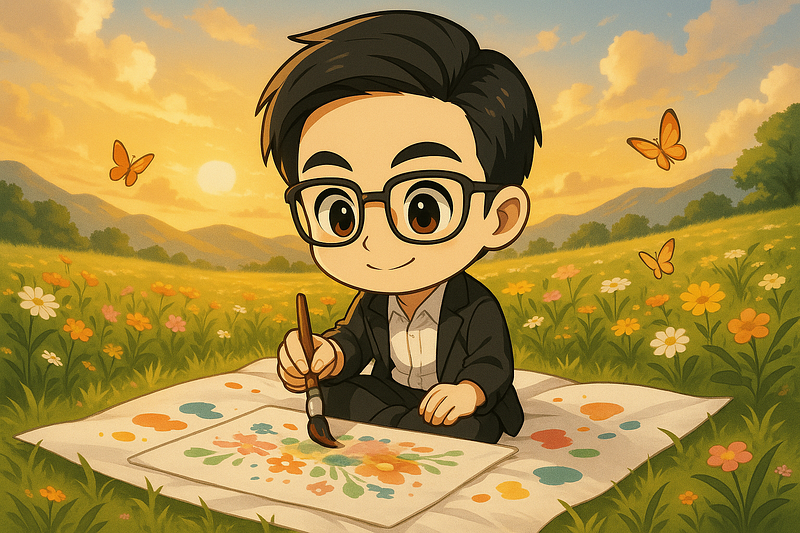
- Prompt
he boy is drawing photo" + Camera "Horizontal Left
ตัวอย่างการใช้งานที่ 6️⃣
- ภาพต้นฉบับ
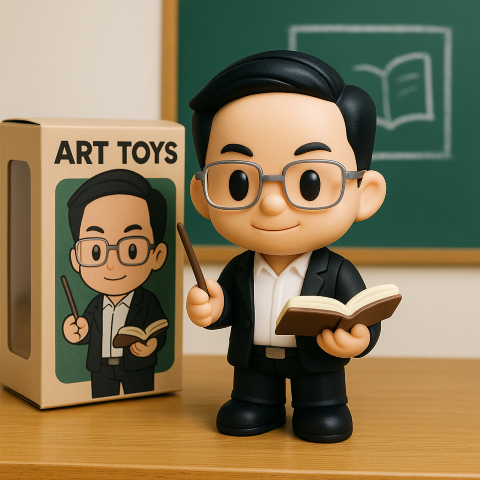
- ผมใช้ Canva ดึงตัวละคนออกมา

- Prompt
The guy is teaching


https://app.pixverse.ai/home?detail=show&id=342337282741990&platform=web
ตัวอย่างการใช้งานที่ 7️⃣**: การใช้งาน (Template — AI Dance)**
- เลือก Template → AI Dance
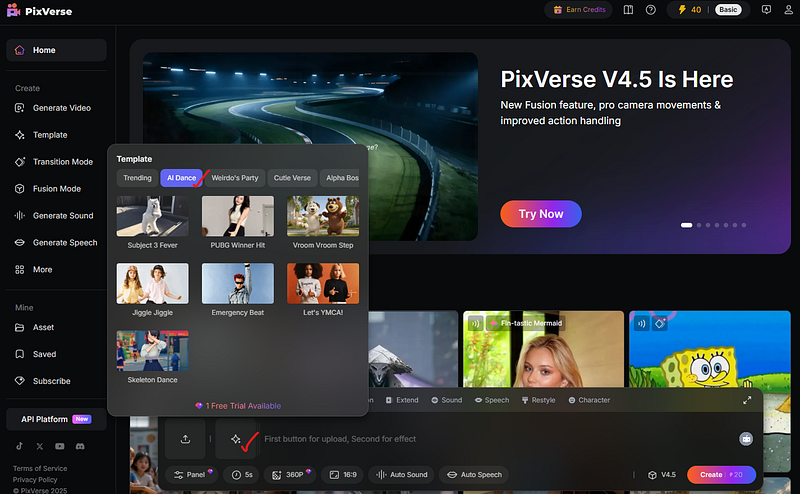
- Upload ภาพบุคคลที่ต้องการ (ใช้ภาพต้นฉบับแบบเดียวกับตัวอย่าง 6)
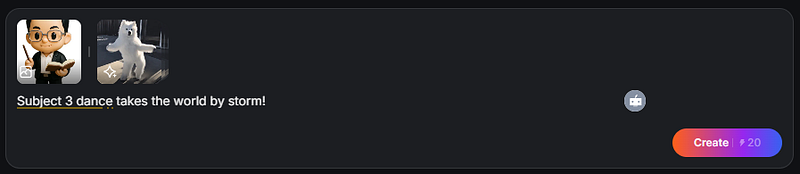
- Result (ใช้ 20 เครดิต)

https://app.pixverse.ai/home?detail=show&id=342336293435795&platform=web
ตัวอย่างการใช้งานที่ 8️⃣**: การใช้งาน Fusion**
- ภาพต้นฉบับแบบเดียวกับตัวอย่าง 6 + ภาพห้องทำงาน

- Prompt
The man is walking to table

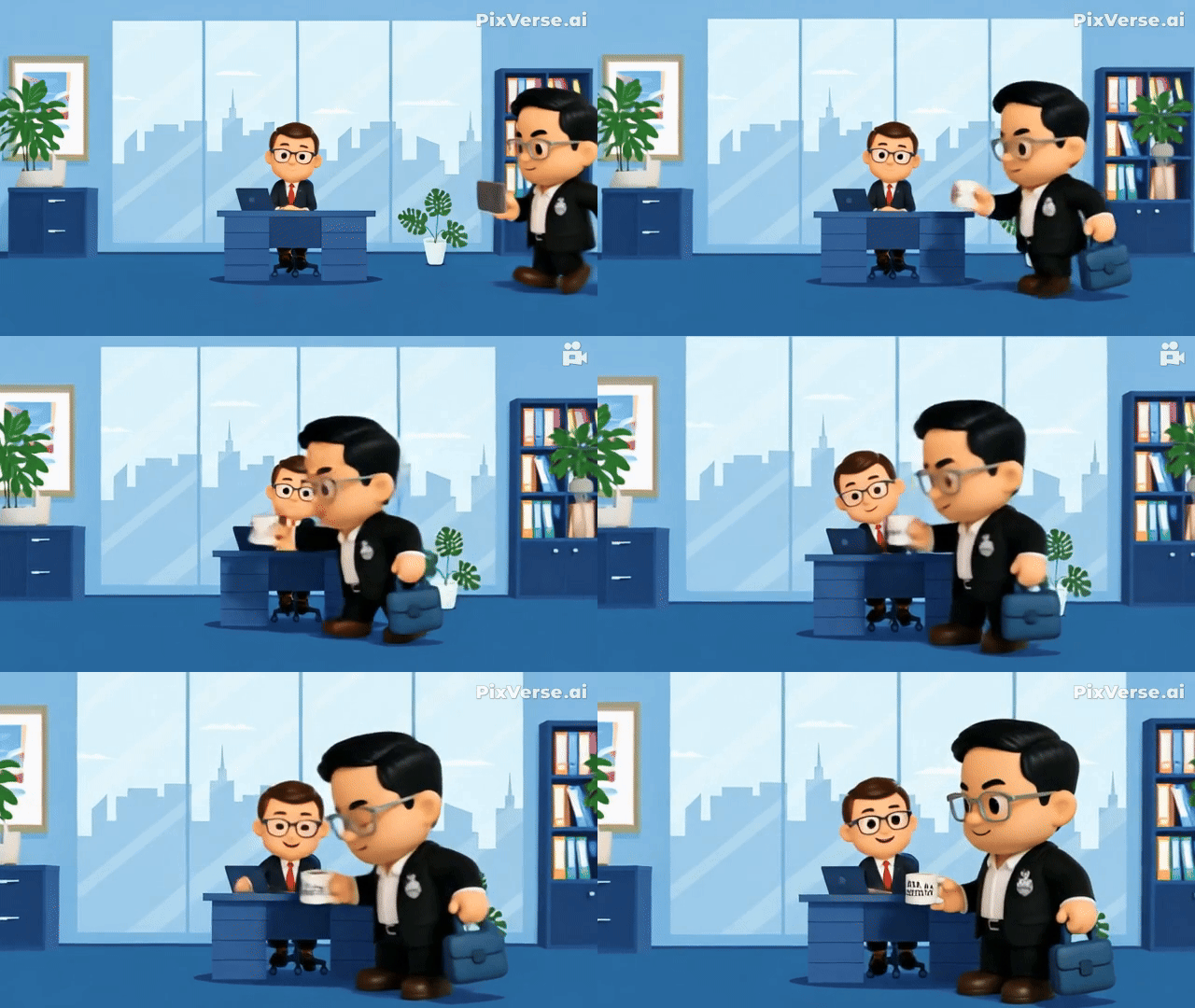
https://app.pixverse.ai/home?detail=show&id=342337789094215&platform=web
- Preview: PixVerse 4.5
- ตัวอย่างอื่นๆของ PixVerse: Link (สร้าง VDO จากภาพนิ่งหลายๆภาพ)
1.3) KlingAI
เครื่องมือสร้างวิดีโอคุณภาพสูงที่กำลังมาแรง (Application นี้เคยพูดถึงใน EP6 แล้ว)
- Website: https://klingai.com/global/
- จุดเด่น:
- ระบบเครดิต: รับเครดิตฟรีเป็นรายเดือนเมื่อเข้าสู่ระบบ
ตัวอย่างการใช้งานที่ 9️⃣**:**
- Prompt (ผมอยากให้ออกมาแบบขยับเล็กน้อยๆ)
The camera is stationary,He is working
- Result
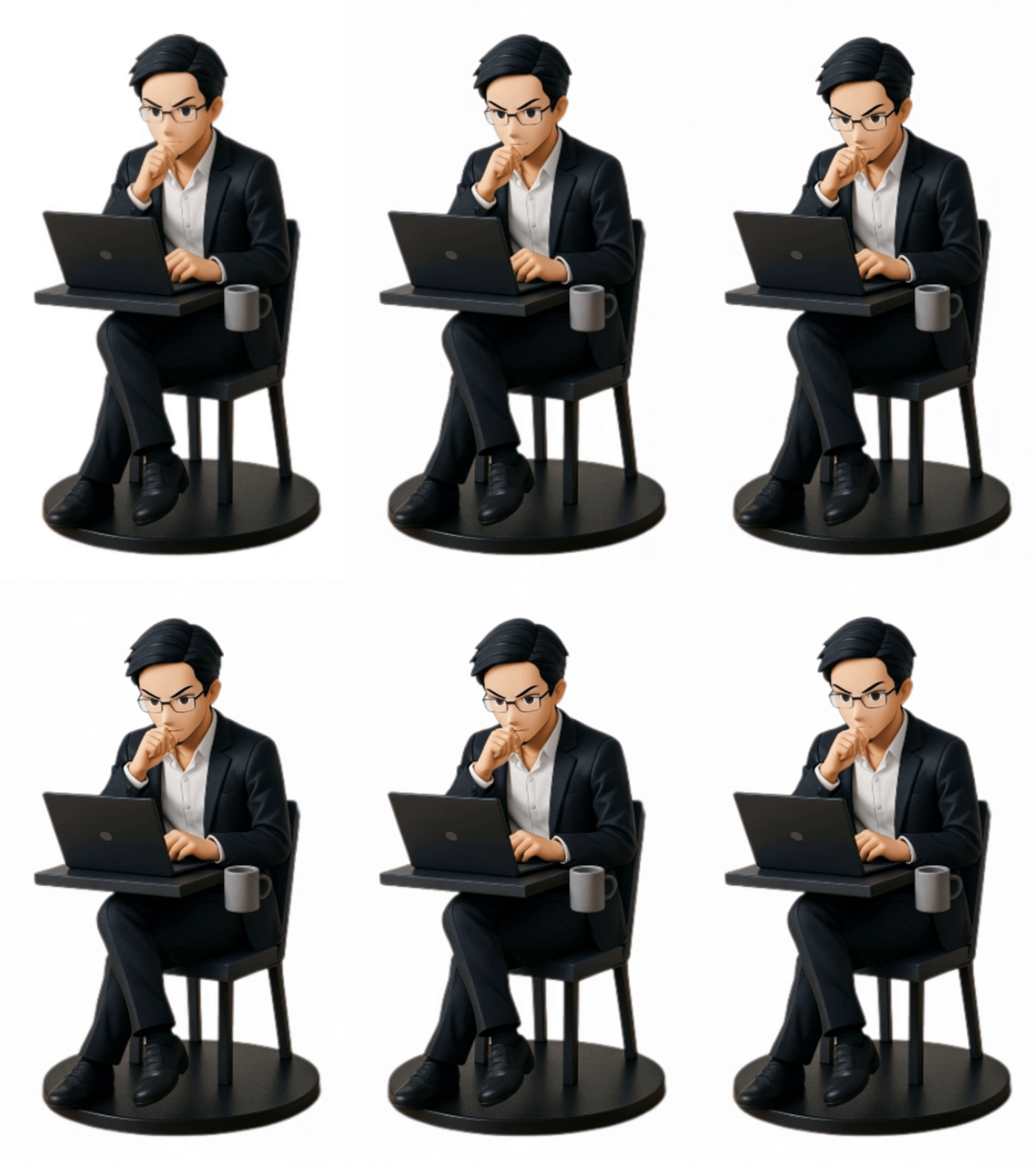
จริงๆอยากให้มันออกมาเป็นแบบนี้ เดียวต้องไปศึกษาเพิ่มอีกนิด Link
ตัวอย่างการใช้งานที่ 1️⃣0️⃣ :
ผมลองทำตาม Clip นี้ ซึ่งเค้าใช้ Prompt แบบนี้
The model picks up the camera, walks out of the box, moves to the front, and takes a photo with the flash on.
- ภาพต้นฉบับ
- Prompt
The model grabs the football, steps out of the box confidently, juggles the ball skillfully, then raises the trophy high with a smile as stadium lights flash around.
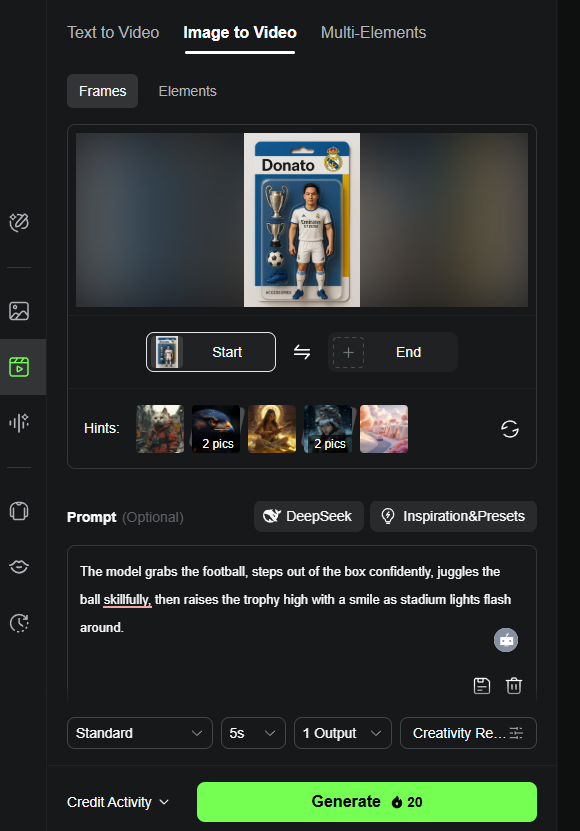
- Result
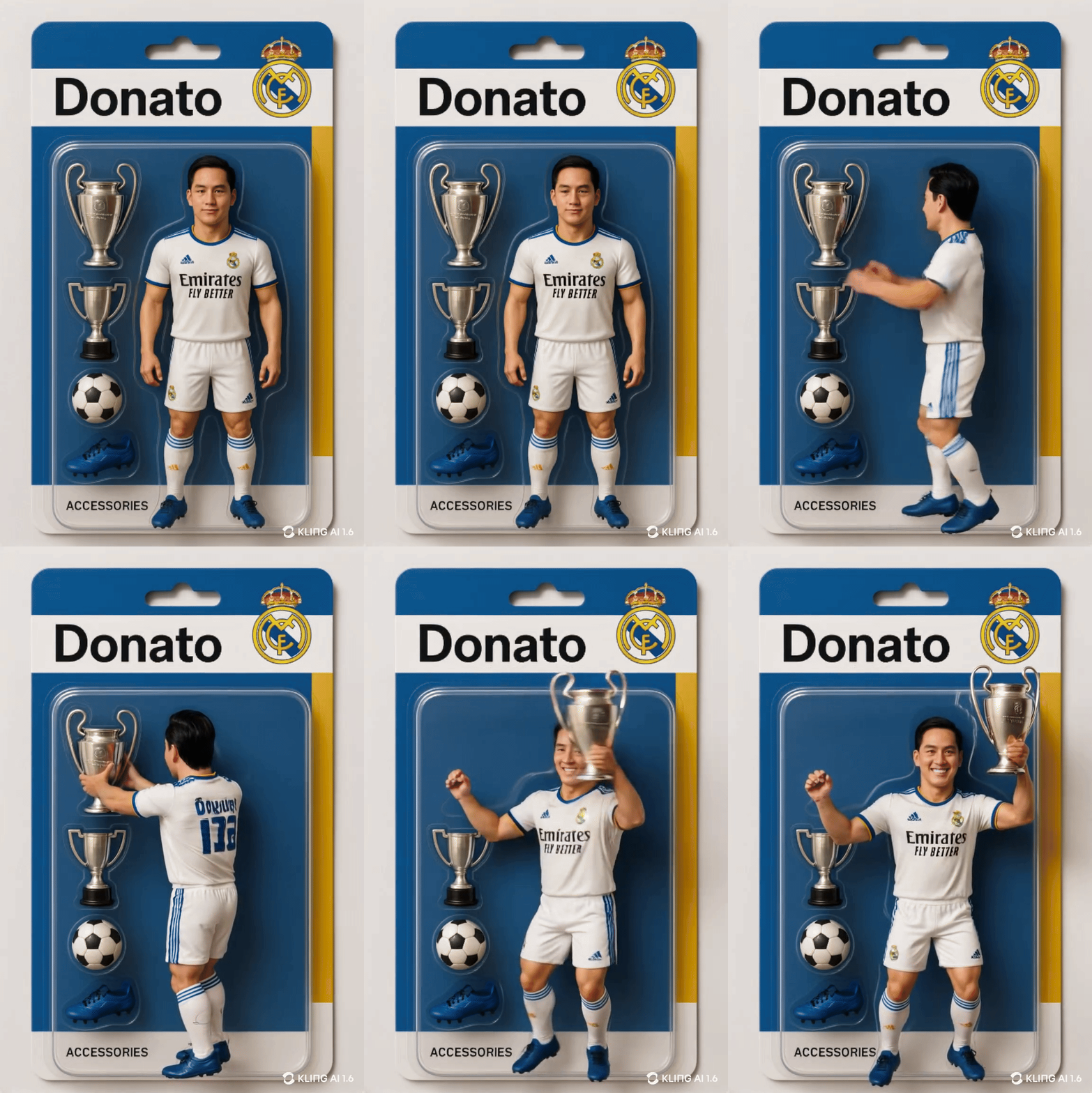
ถ้าสนใจ Feature อื่นๆ ลองดู Preview ได้ที่ Link
1.4) Pika
โดดเด่นด้วยฟังก์ชันที่หลากหลายและคุณภาพของวิดีโอที่ใช้ได้
- Website: https://pika.art/login
- จุดเด่น:
- ระบบเครดิต: 80 เครดิตสำหรับสร้างวิดีโอฟรีต่อเดือน
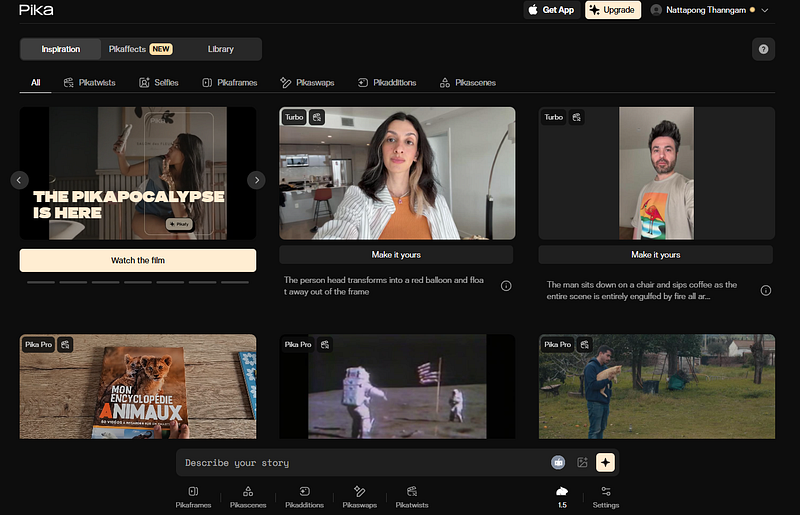
ตัวอย่างการใช้งานที่ 1️⃣1️⃣**: Make It Real**
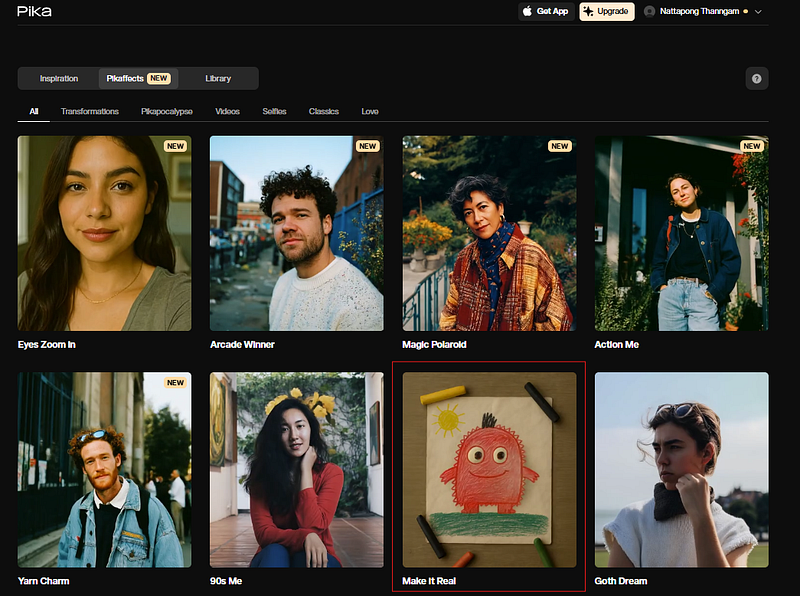
- ภาพต้นฉบับ

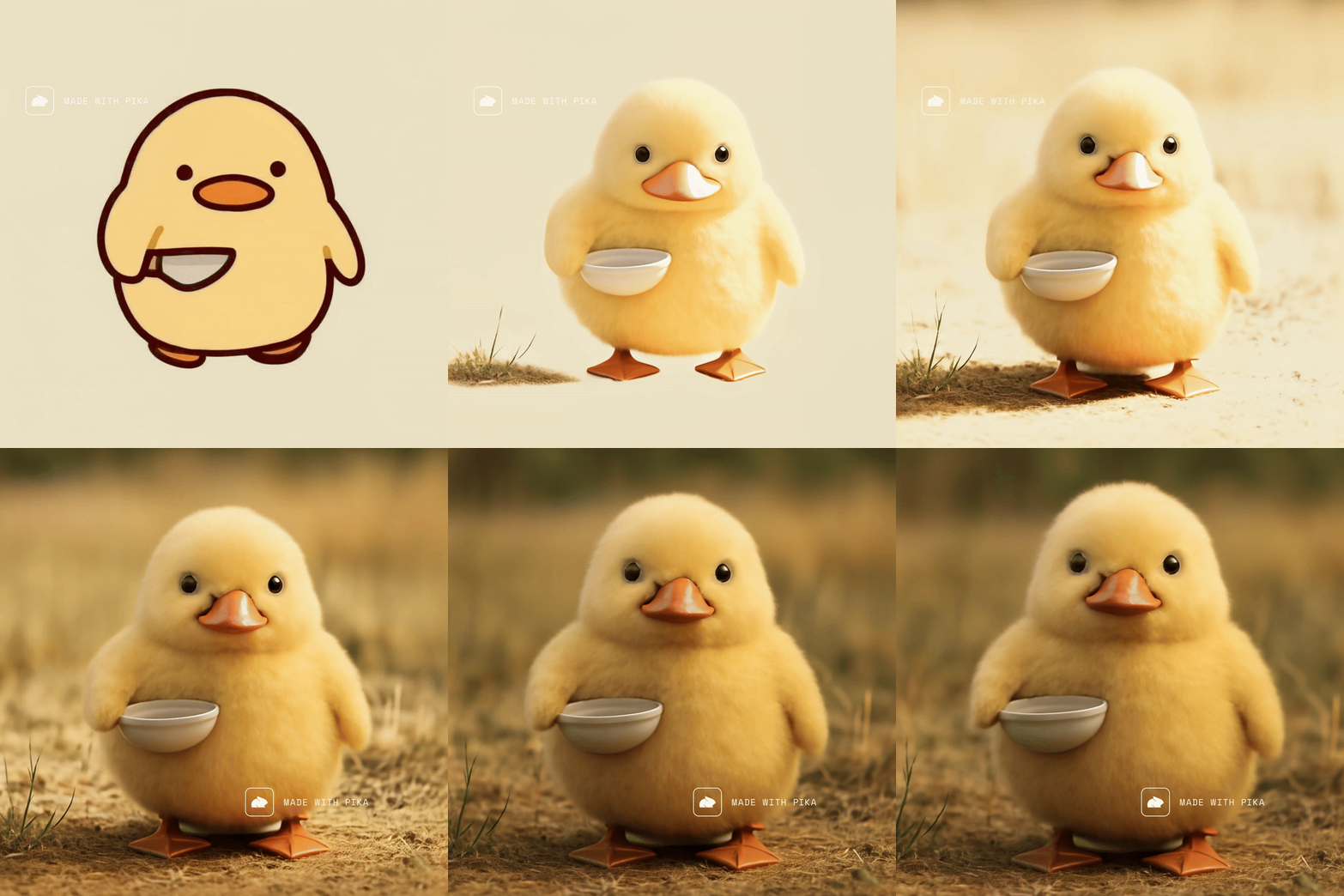
https://pika.art/video/pikaffect-make%2520it%2520real-2ad6b850-0dc3-4eca-a88f-a98c4d1c8755
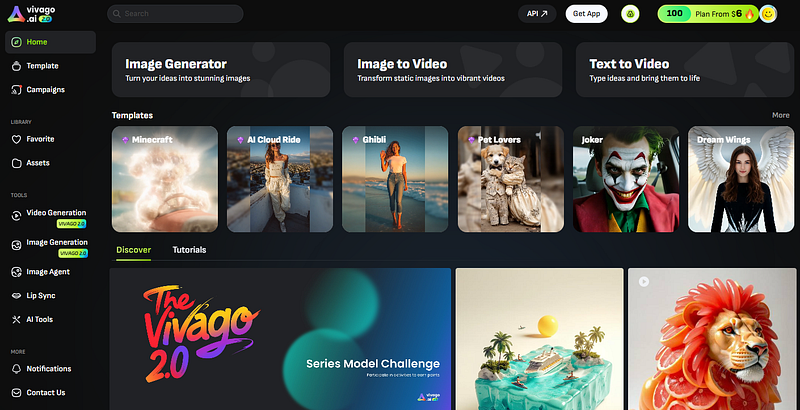
1.5) VIVAGO
อีกเครื่องมือที่น่าสนใจ
- Website: https://vivago.ai/studio
- จุดเด่น:
- ระบบเครดิต: มีฟรี credits
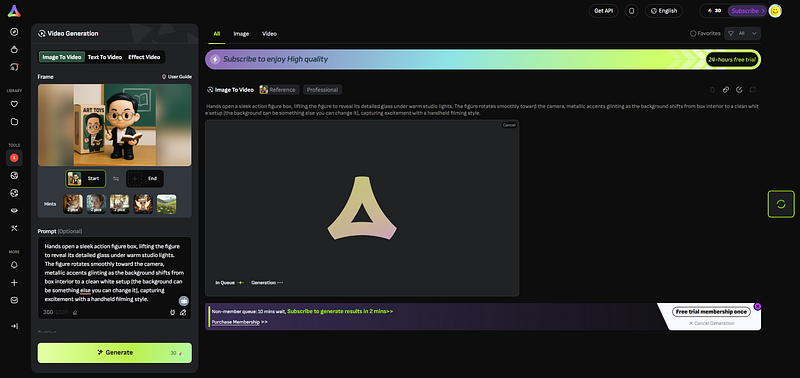
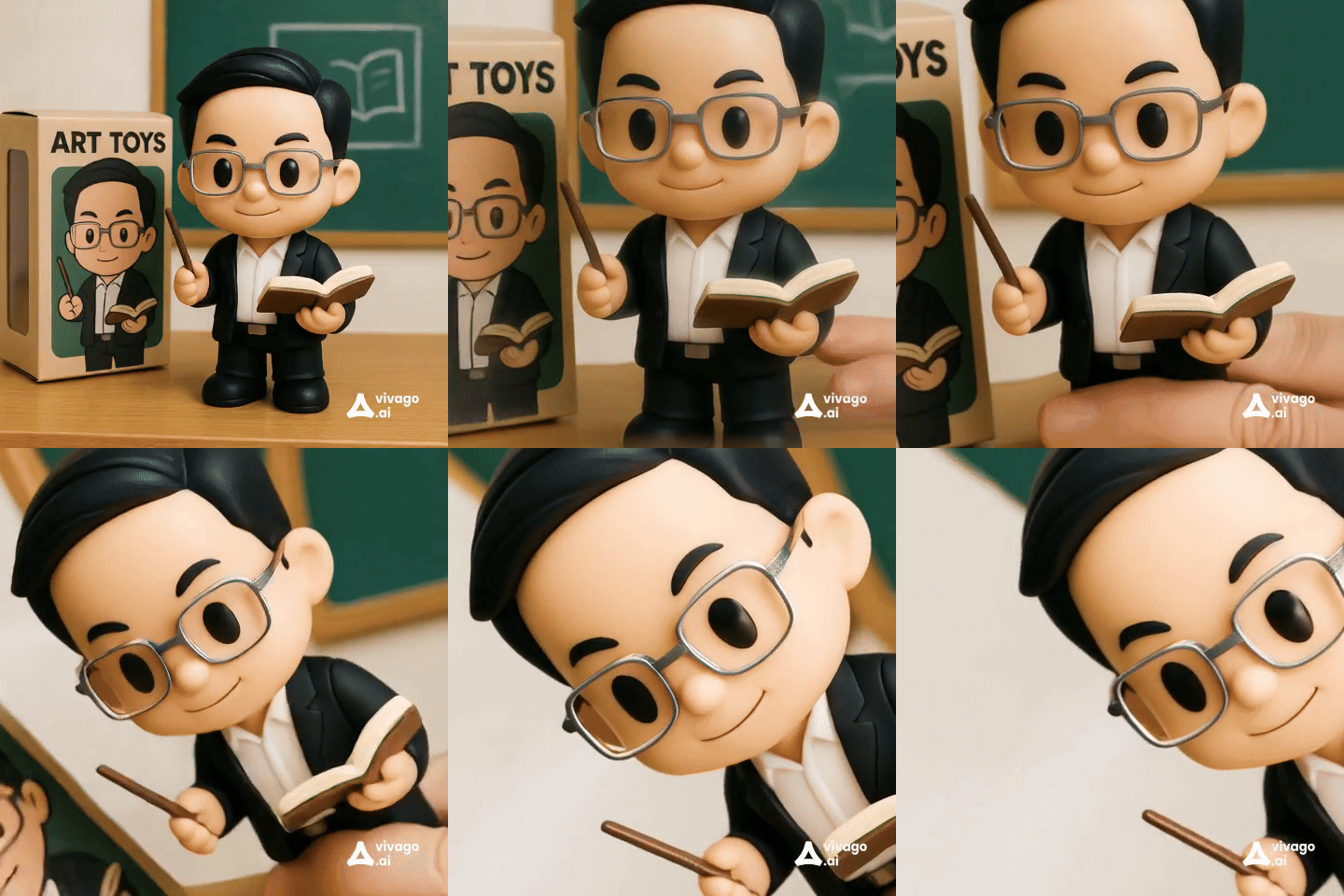
ตัวอย่างการใช้งานที่ 1️⃣2️⃣: มือหยิบสินค้า
ลองทำตาม Clip นี้ ครับ (แต่ใช้ VIVAGO)
- ภาพต้นฉบับ
- Prompt
Hands open a sleek action figure box, lifting the figure to reveal its detailed glass under warm studio lights. The figure rotates smoothly toward the camera, metallic accents glinting as the background shifts from box interior to a clean white setup (the background can be something else you can change it), capturing excitement with a handheld filming style.
https://vivago.ai/studio/template/62ba375f-aaf4-4860-9249-4b52604ff708
1.6) Vidu
อีกเครื่องมือที่น่าสนใจ
- Website: https://www.vidu.com/create?is%5Ffirst%5Flogin=true
- จุดเด่น:
- ระบบเครดิต: มีฟรี credits
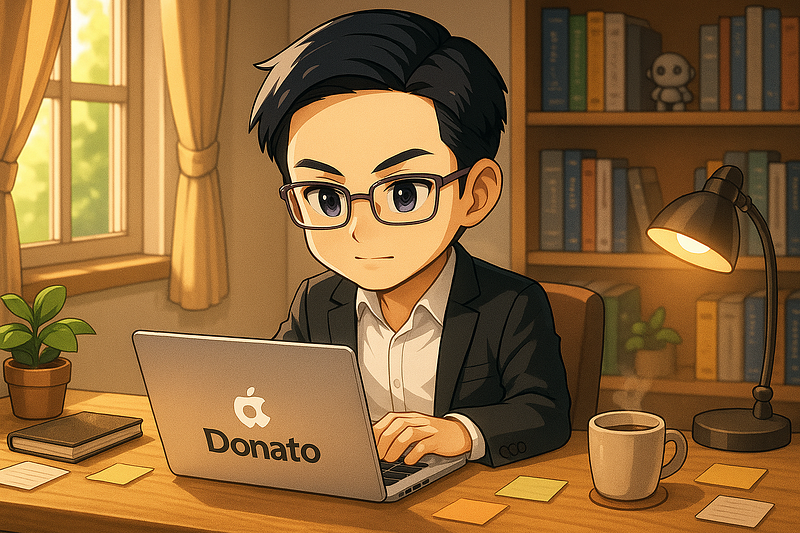
ตัวอย่างการใช้งานที่ 1️⃣3️⃣
- ภาพต้นฉบับ
- Prompt
He is drinking coffee
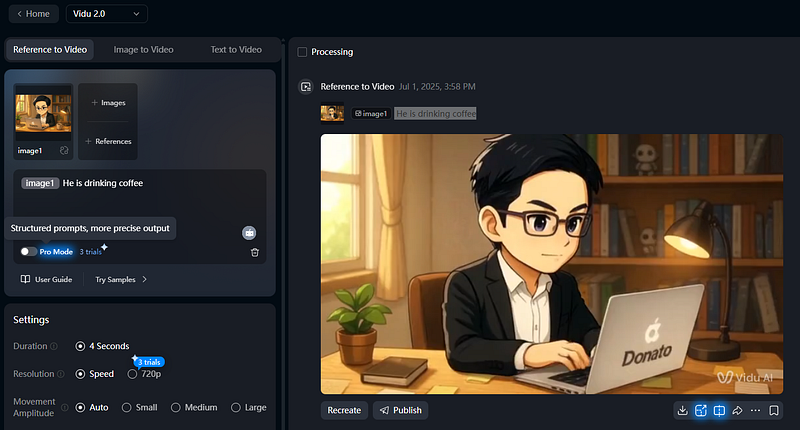
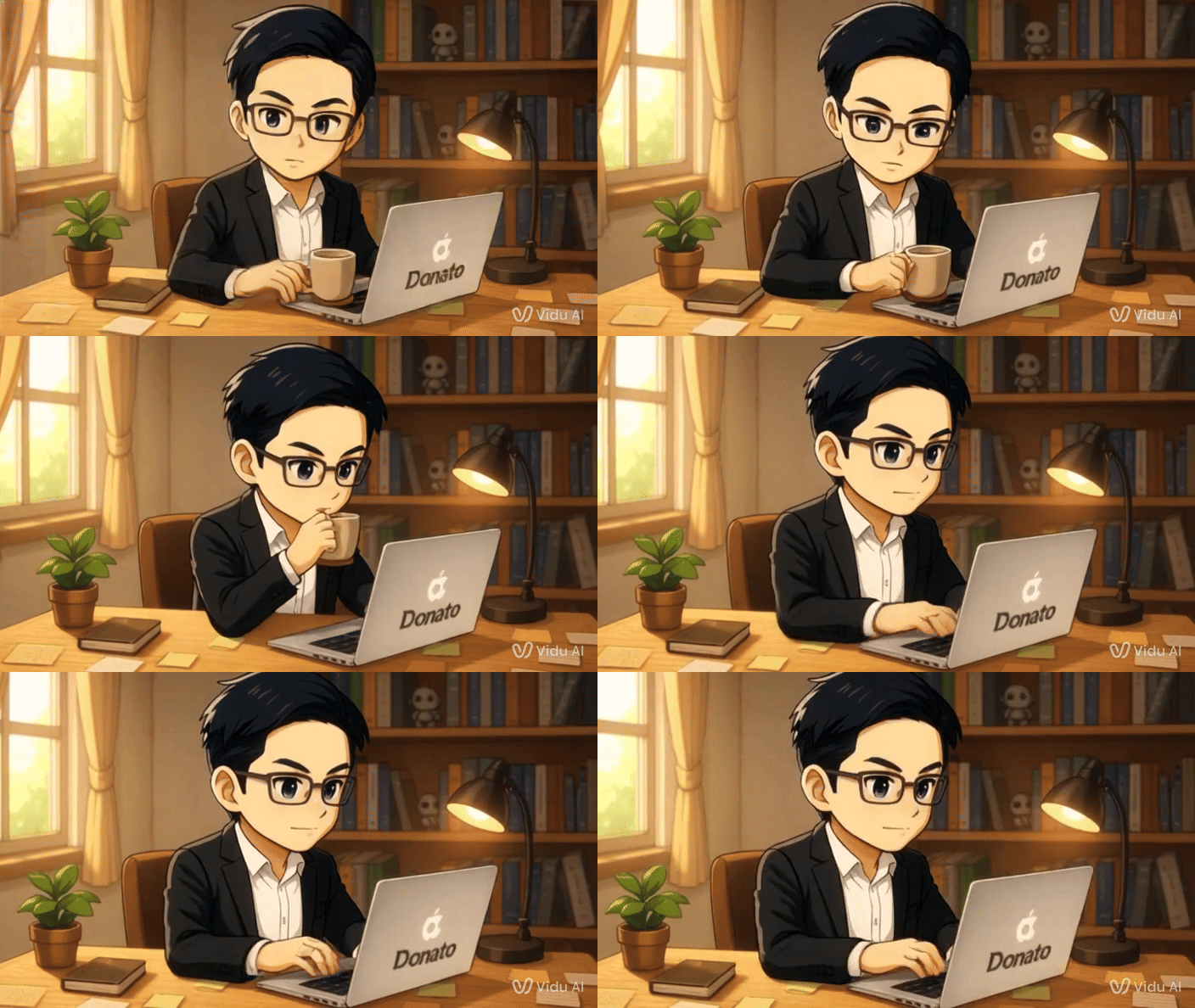
https://www.vidu.com/share/2843009606689546/015042
1.7) Veo3
จริงๆ Veo3 เปิดใช้เสียเงินในหลาย Application แต่ถ้าอยากได้ใช้ฟรี ให้ลองทำตามนี้
- Website: https://cloud.google.com/?hl=th
- เลือก “Try Vertex AI”
- จุดเด่น:
- ระบบเครดิต: มีฟรี credits
มีคนทำวิธีการเขียน Prompt สำหรับ VEO3 ไว้มากมาย อาทิ Link, Link, Link
2. มาลองรวมเครื่องมือ AI เพื่อสร้างงานกัน
1. ทำ VDO ตัวการ์ตูนร้องเพลง (Link)
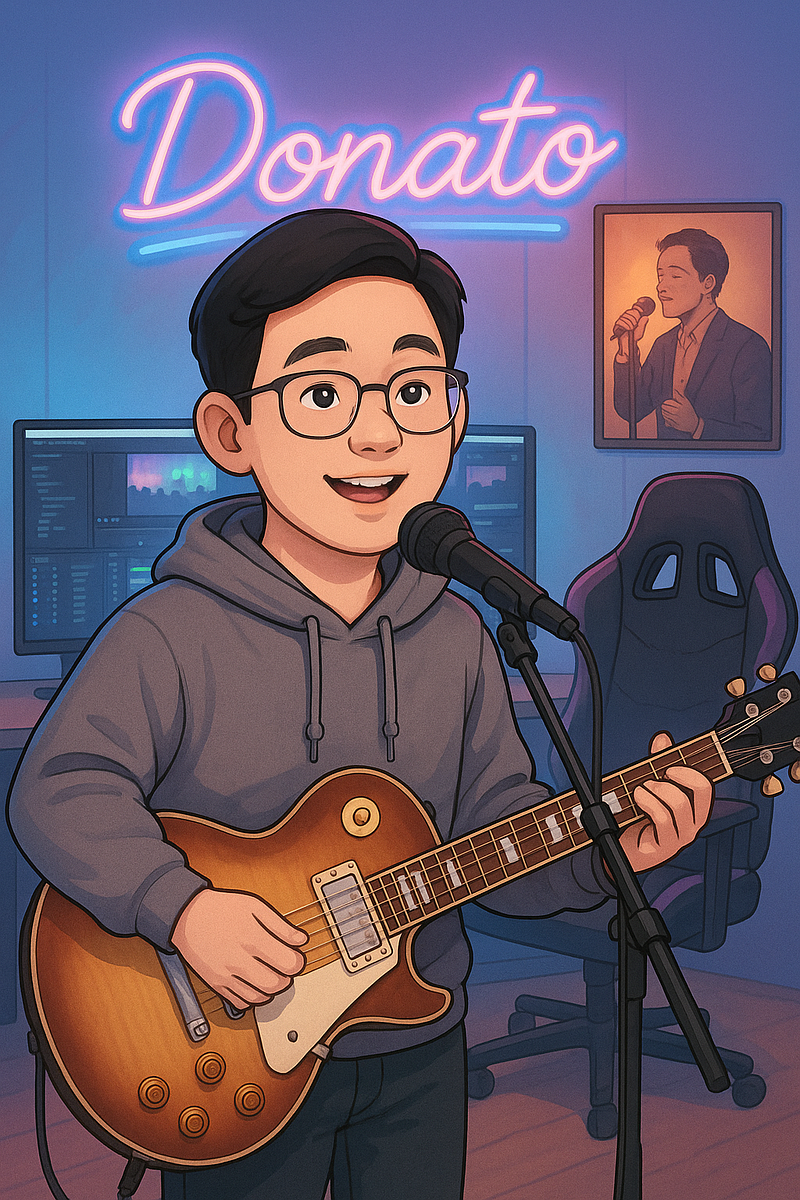
- Step 1️⃣: สร้างภาพประกอบ (By ChatGPT)
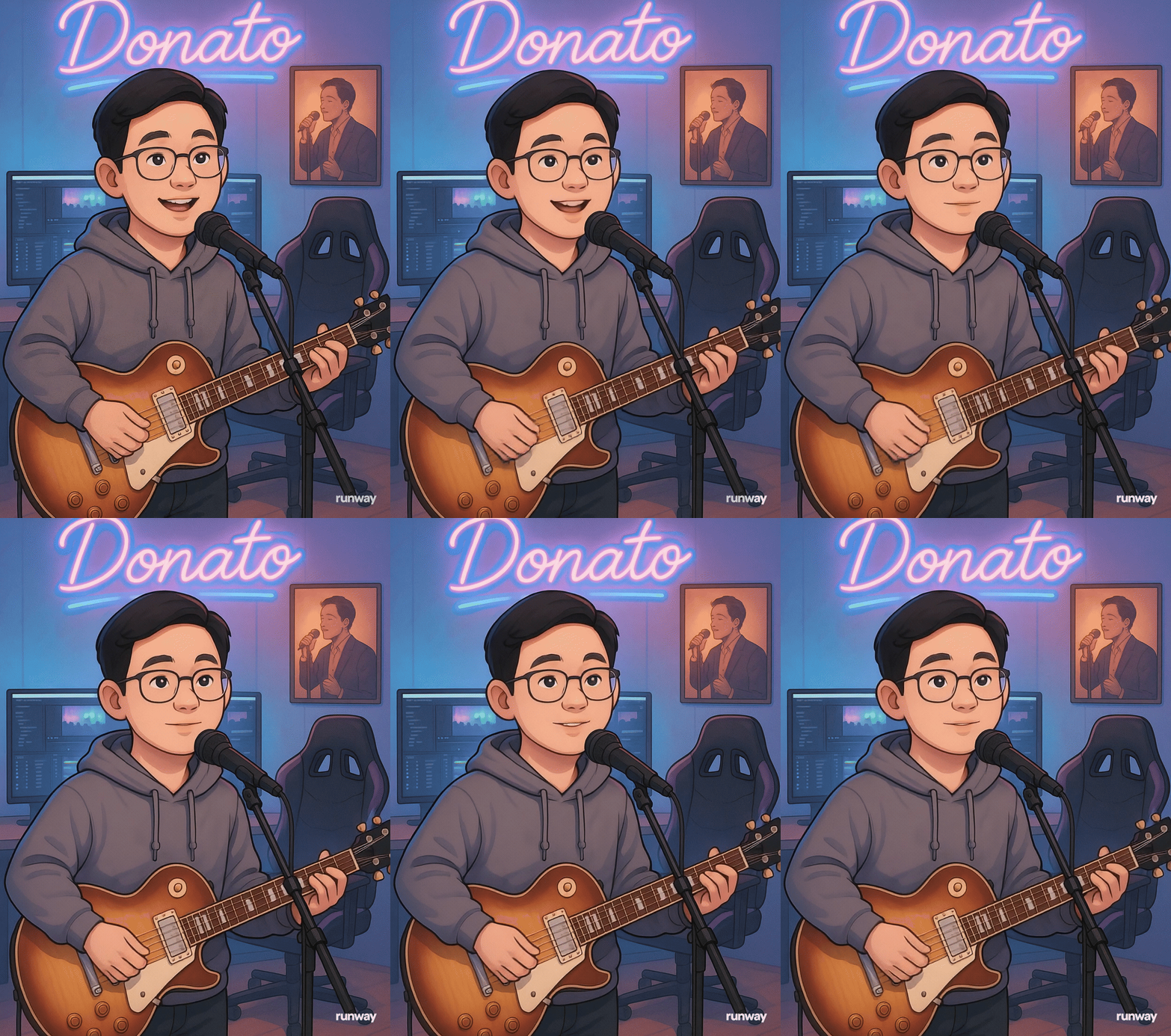
ภาพวาดดิจิทัลแนวสมจริงกึ่งการ์ตูน แสดงชายหนุ่มชาวไทยศีรษะโต น่ารัก ผิวขาว ผมสั้นเรียบ สุภาพ ใส่เสื้อฮู้ดสีเทา กำลังร้องเพลงรักฟังสบาย ๆ ขณะเล่นกีตาร์โปร่งไฟฟ้าทรง Les Paul ยืนอยู่หน้ากล้องไมโครโฟน ภายในห้องสตูดิโอโมเดิร์นสำหรับตัดต่อวิดีโอ พื้นหลังมีจอคอมพิวเตอร์ 2 จอ แสดงซอฟต์แวร์ตัดต่อวิดีโอ และเก้าอี้เกมมิ่งสีดำม่วง ผนังด้านหลังมีไฟนีออนสีฟ้าชมพู เขียนว่า “Donato” และมีโปสเตอร์ศิลปินชายใส่สูทร้องเพลงรักในชุดโทนอบอุ่น บรรยากาศโดยรวมมีแสงไฟนีออนนุ่ม ๆ โทนฟ้าชมพู สบายตา เรียลแต่แฟนตาซี
Original: ภาพวาดดิจิทัลแนวสมจริงกึ่งการ์ตูน แสดงหญิงสาวชาวไทยศีรษะโต น่ารัก ผิวขาว ผมยาวตรง สวมเสื้อฮู้ดสีดำ กำลังเล่นกีตาร์ไฟฟ้าทรง Les Paul ยืนอยู่หน้ากล้องไมโครโฟน ภายในห้องสตูดิโอโมเดิร์นสำหรับตัดต่อวิดีโอ พื้นหลังมีจอคอมพิวเตอร์ 2 จอ แสดงซอฟต์แวร์ตัดต่อวิดีโอ และเก้าอี้เกมมิ่งสีดำม่วง ผนังด้านหลังมีไฟนีออนสีชมพู เขียนว่า 'KRUNITA EXTRA AI' และโปสเตอร์ฮีโร่ผู้หญิงในชุดสีทองแดง Wonder Woman บรรยากาศโดยรวมมีแสงไฟนีออนนุ่ม ๆ โทนชมพูน้ำเงิน แบบเรียลแต่มีความแฟนตาซี
- Result
- Step 2️⃣: เขียนเนื้อเพลง (By ChatGPT หรือ Generative AI ตัวอื่นๆ)
เพลง: แค่จับมือกันไว้ (Just Hold Our Hands)
Style: Indie Folk / Acoustic Pop
(Verse 1)
บนทางชีวิตที่เราต้องเดิน อาจเจอเรื่องราวที่ต้องเผชิญ
บางวันก็มีเมฆฝนเข้ามา บางทีก็ดูจะเหนื่อยจะล้า
จนเกือบจะยอมแพ้ไป
(Pre-Chorus)
ในตอนที่เธอเริ่มไม่แน่ใจ ว่าจะไปต่อได้ไหม
ไม่ต้องกังวล ไม่ต้องพูดอะไร... แค่หันมา
(Chorus)
แค่จับมือกันไว้ ให้ไออุ่นส่งไปถึงใจ
ไม่ว่าพรุ่งนี้จะเจอเรื่องร้ายดีแค่ไหน
ฉันจะอยู่ตรงนี้ไม่เคยจะห่างไปไกล
ให้มือคู่นี้แทนทุกคำ... ว่าเราจะข้ามผ่านมันไปด้วยกัน
(Verse 2)
ในวันที่โลกดูช่างโหดร้าย และเหมือนไม่มีใครเข้าใจ
ตอนที่ความฝันมันดูเลือนลาง จนใจของเธอหมดสิ้นหนทาง
จนมองไม่เห็นใคร
(Pre-Chorus)
ในตอนที่เธอเริ่มไม่แน่ใจ ว่าจะไปต่อได้ไหม
ไม่ต้องกังวล ไม่ต้องพูดอะไร... แค่หันมา
(Chorus)
แค่จับมือกันไว้ ให้ไออุ่นส่งไปถึงใจ
ไม่ว่าพรุ่งนี้จะเจอเรื่องร้ายดีแค่ไหน
ฉันจะอยู่ตรงนี้ไม่เคยจะห่างไปไกล
ให้มือคู่นี้แทนทุกคำ... ว่าเราจะข้ามผ่านมันไปด้วยกัน
(Bridge)
มันไม่ใช่แค่คำสัญญา ที่พูดแล้วก็ลืมเลือนไป
แต่มันคือทุกความรู้สึก ที่ออกมาจากข้างใน
ให้มือคู่นี้... ที่กุมกันอยู่... เป็นคำยืนยัน
(Chorus)
แค่จับมือกันไว้ ให้ไออุ่นส่งไปถึงใจ
ไม่ว่าพรุ่งนี้จะเจอเรื่องร้ายดีแค่ไหน
ฉันจะอยู่ตรงนี้ไม่เคยจะห่างไปไกล
ให้มือคู่นี้แทนทุกคำ... ว่าเราจะข้ามผ่านมันไปด้วยกัน
(Outro)
เราจะข้ามผ่านมันไปด้วยกัน...
แค่จับมือกันไว้...
เพิ่มเติม
- Verse = ท่อนเล่าเรื่องราวของเพลง
เช่น (Verse 1), (Verse 2) คือแต่ละท่อนที่เล่าเรื่องต่างกัน แต่ยังต่อเนื่องกัน - Pre-Chorus = ท่อนสั้นๆ ที่อยู่ระหว่าง Verse กับ Chorus
ช่วยเพิ่มอารมณ์หรือเชื่อมโยงไปยังท่อนฮุก (Chorus) ทำให้รู้สึกตื่นเต้นขึ้น - Chorus = ท่อนฮุก หรือท่อนที่ติดหูที่สุด
มักจะร้องซ้ำๆ เนื้อหาสำคัญของเพลง อยู่ตรงนี้ คนจะจำเพลงได้เพราะท่อนนี้ - Bridge = ท่อนเปลี่ยนอารมณ์
มักจะใส่มาช่วงกลางหรือท้ายเพลง เพื่อเปลี่ยนบรรยากาศจากเดิม ทำให้เพลงไม่จำเจ - Outro = ท่อนจบของเพลง
เหมือนบทสรุปหรือท่อนปิดท้าย ทำให้เพลงจบลงอย่างสวยงาม
Result → เพลง แค่จับมือกันไว้ (Just Hold Our Hands)
- Step 3️⃣: ประกอบร่างทำ VDO
- เข้าไปที่ Hedra → เลือก VDO
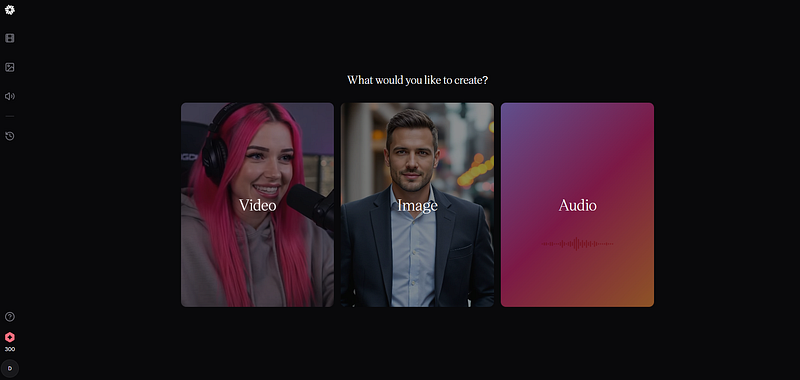
- เลือก “Audio scipt” → Upload Audio (ได้แค่ 20 วิ) (30.89–50.40)
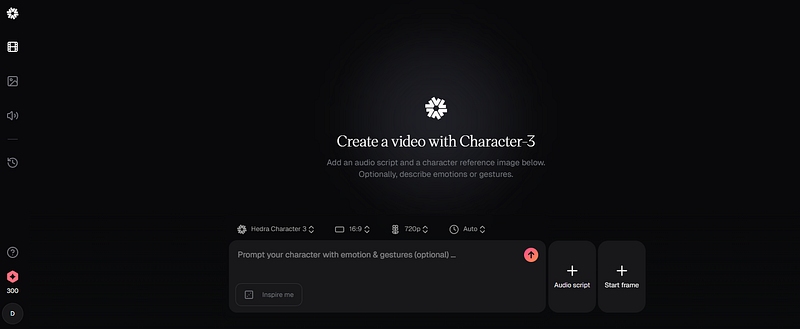
- เลือก “Start frame” → Upload Image
- Prompt: Singing
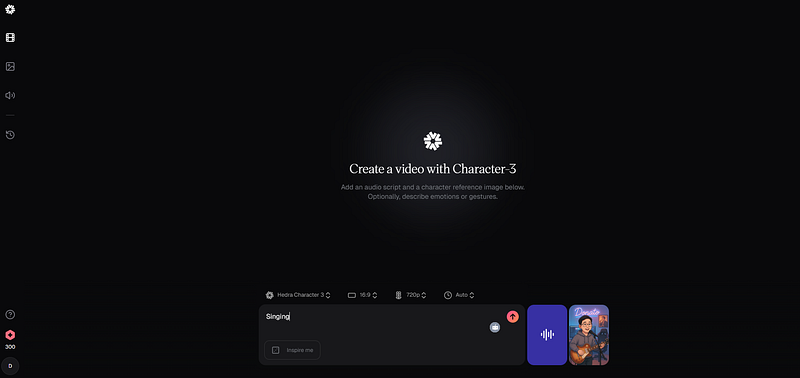
- Result → Quota ฟรีไม่ว่างซักที ผมขอเปลี่ยนเป็น RunAway AI แล้วกัน (HeyGen ได้ 15 sec. เลยไม่ได้ทำ เพราะเพลงผม 22 วิ)
- นำ Image เข้าไปเพื่อสร้าง VDO
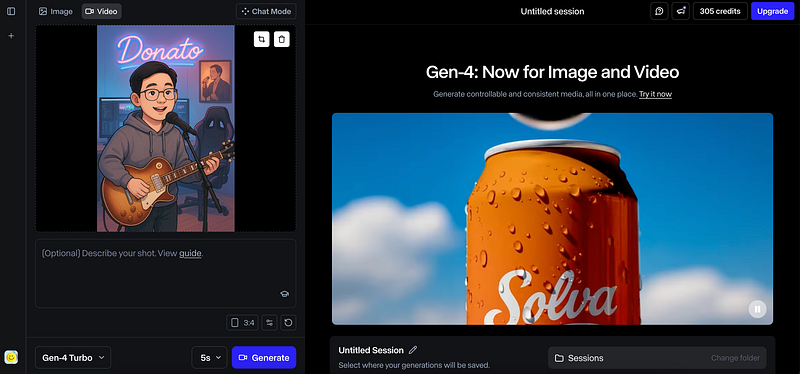
- VDO ที่สร้างได้
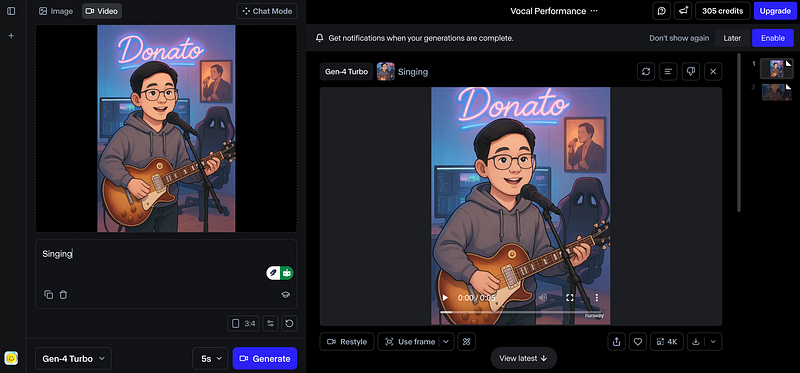
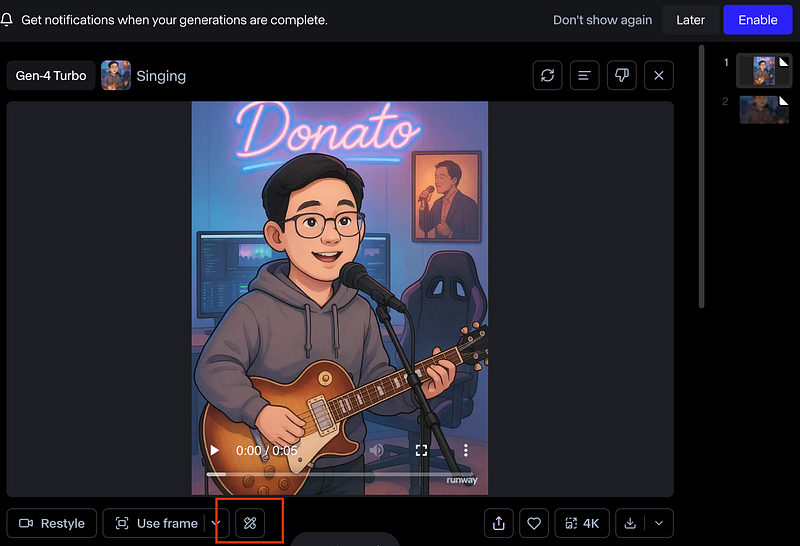
- เลือก Actions
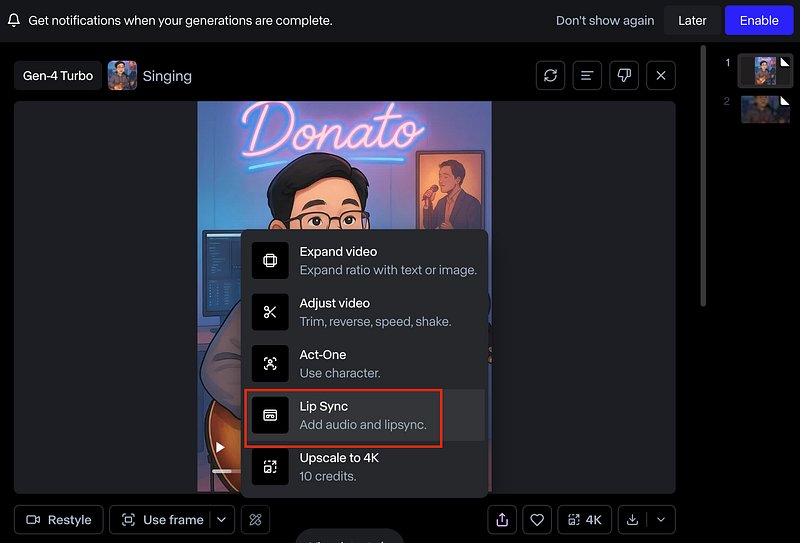
- เลือก Lip Sync
- Result (แสดงผลไม่ได้เพราะ GIF ขนาดใหญ่ไป)
2. ทำ VDO เป็นนิทาน (Link)
- เลือก Free AI video maker
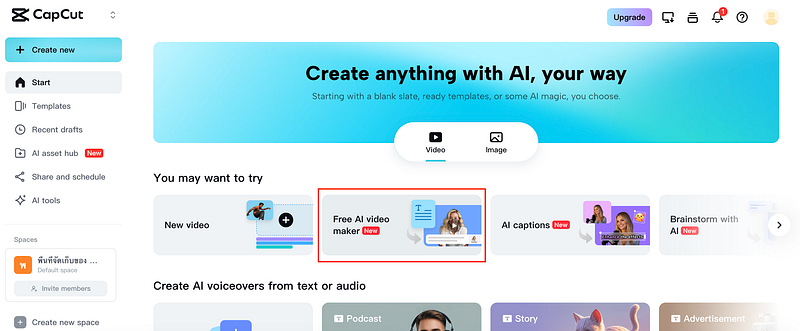
- Instant AI video
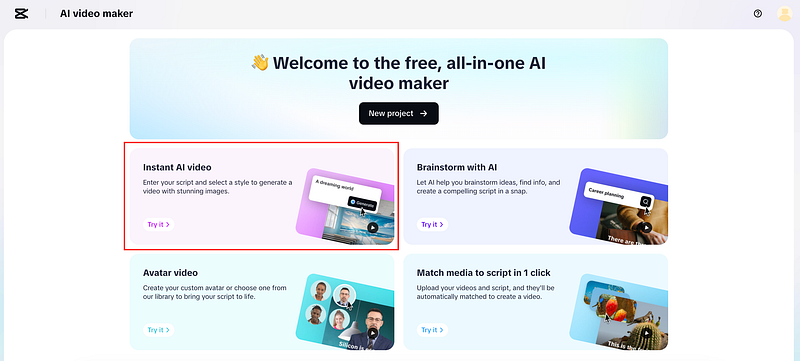
- พิม Prompt เลือก Style ที่ต้องการ
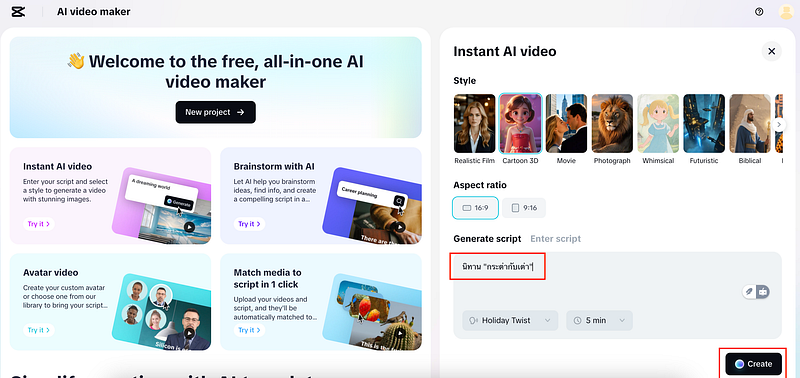
- Result (ยังไม่มีเสียง เพราะยังไม่รองรับภาษาไทย)
- ลองอีกเรื่องหนึ่ง เลือก 16:9 และ Prompt: The Three Little Pigs → Result
3. ทำ VDO ประกอบเพลง LoFi (ทำแค่บางส่วนนะ) (Link)
- นำภาพเข้า ChatGPT + Prompt
เขียน prompt สำหรับภาพนี้ในการดำเนินเรื่อง vdo ประกอบเพลงแนว LoFi
Prompt เป็นภาษาอังกฤษ
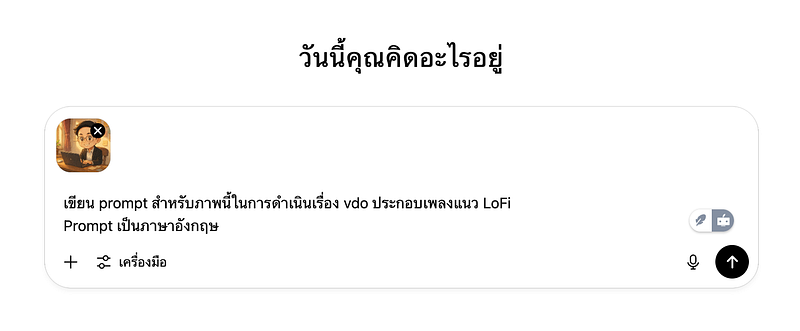
- Result
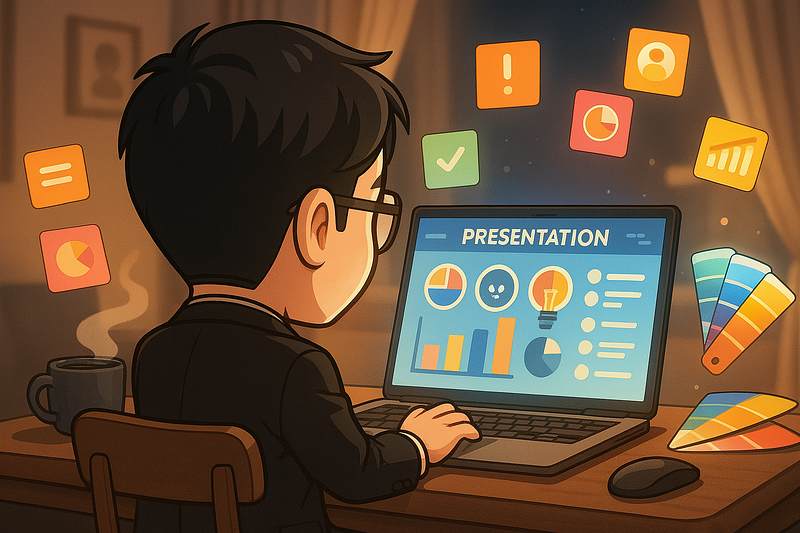
A cozy and uplifting LoFi music video scene featuring a chibi-style young man working at his wooden desk in a warmly lit home office. He wears glasses and a suit, smiling calmly while typing on his laptop. Sunlight gently streams through the window, casting soft golden light across the room. Sticky notes decorate the wall behind him, suggesting creativity and planning. A cute, round smart assistant device sits beside a potted plant near the window. The vibe is peaceful, productive, and heartwarming — perfect for background LoFi beats. Animated leaves sway outside the window, and subtle ambient dust particles float in the sunbeam. Gentle motion and subtle loops create a relaxing visual rhythm.
- เข้า Runway AI
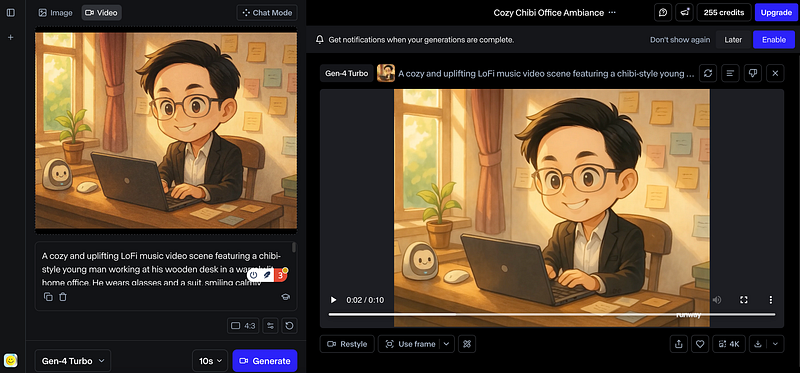
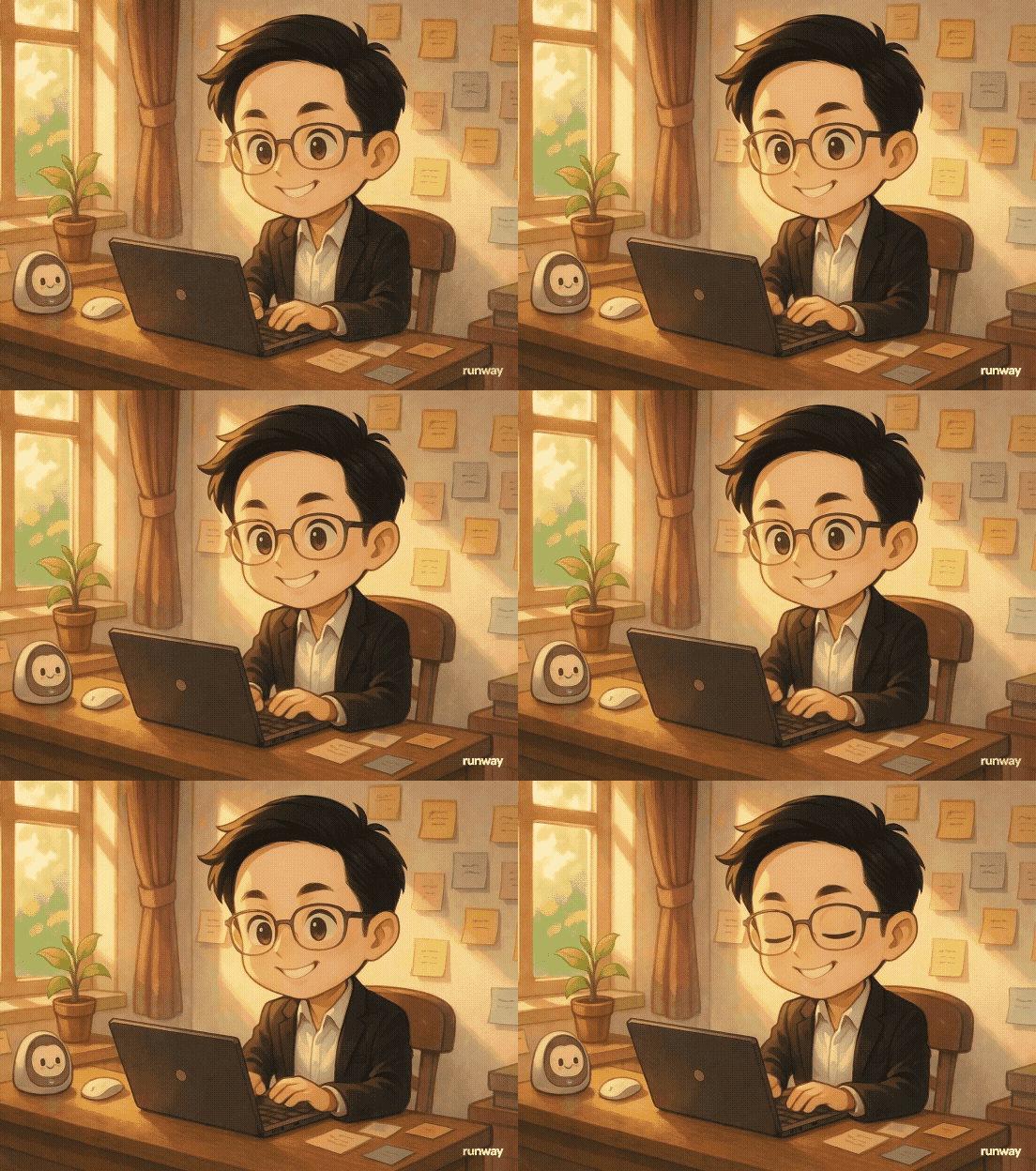
- สร้างๆแบบนี้หลายๆภาพ แล้วเอาเพลงที่ได้จาก Suno + Scene ที่สร้างมาต่อกัน ก็จะได้ Lofi Music
- ตัวอย่าง LoFi Music หรือ Lip Sync อื่นๆ: Link, Link, Link, Link, Link,
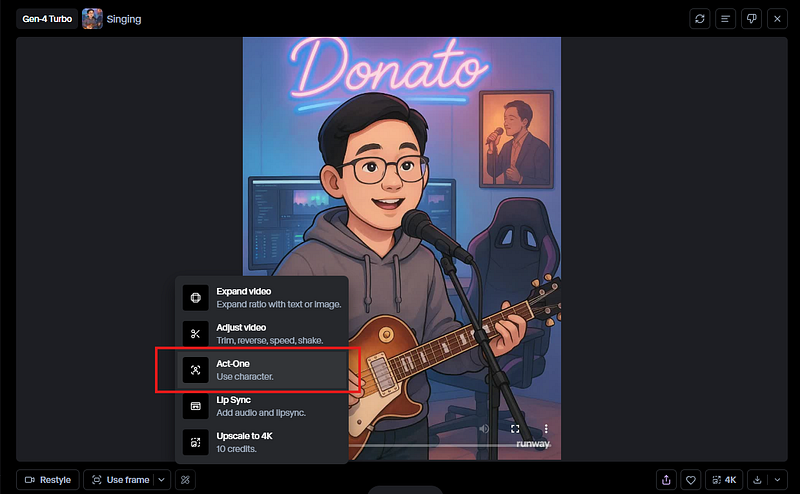
- หรือถ้าใครอยากจะทำ Lip Sync กับเสียงของตัวเองแบบ Clip นี้ ให้ลองใช้ Function นี้ครับ (Act-One)
ใครอยากทำรูปจาก Photo ก็สามารถทำตาม Link นี้ได้นะครับ
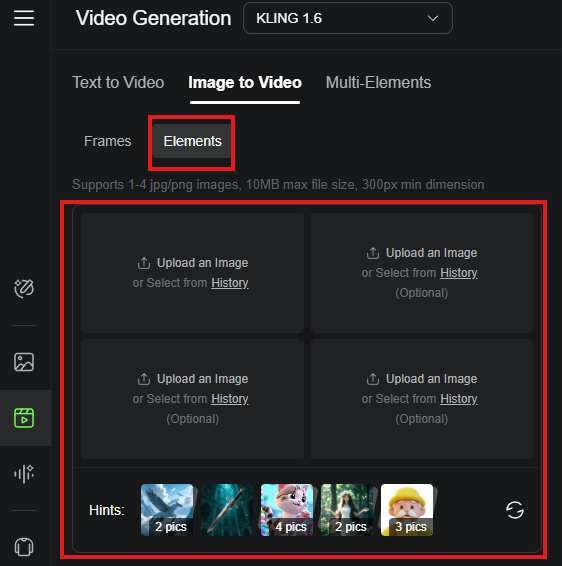
4. Images to VDO
ถ้าเราอยากได้ VDO หลายๆ Scence มาต่อกันก็สร้างหลายๆอันได้เช่นกัน
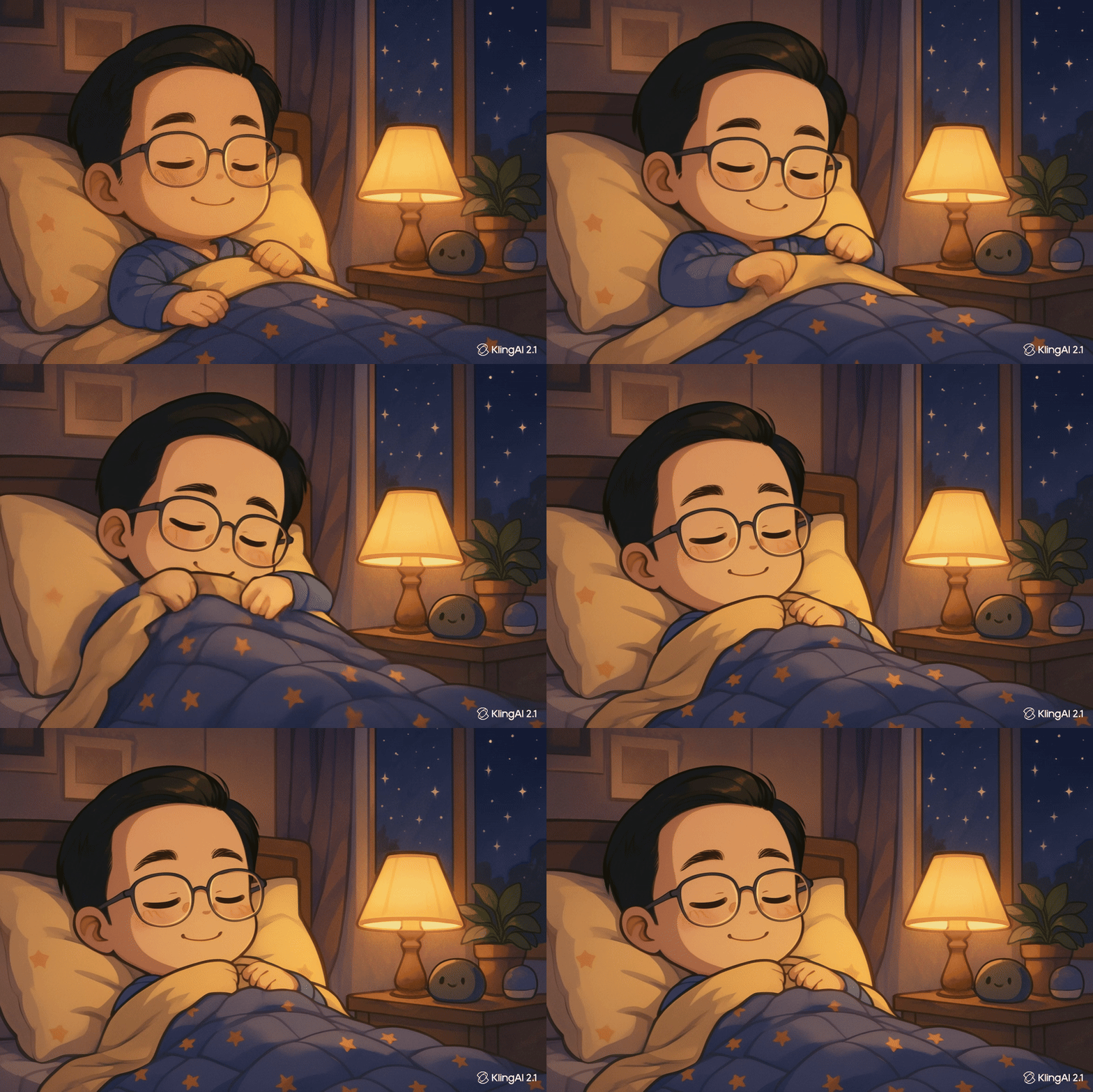
- ผมลองทำ Routine VDO ผมขึ้นมาประกอบด้วย
“Wake up → Coffee → Working → Gym → Sleep” - เริ่มจากกการทำ ภาพเคลื่อนไหว ในแต่ละ Scence
- 1. นำภาพและ Prompt ที่ใช่สร้างภาพมาใส่
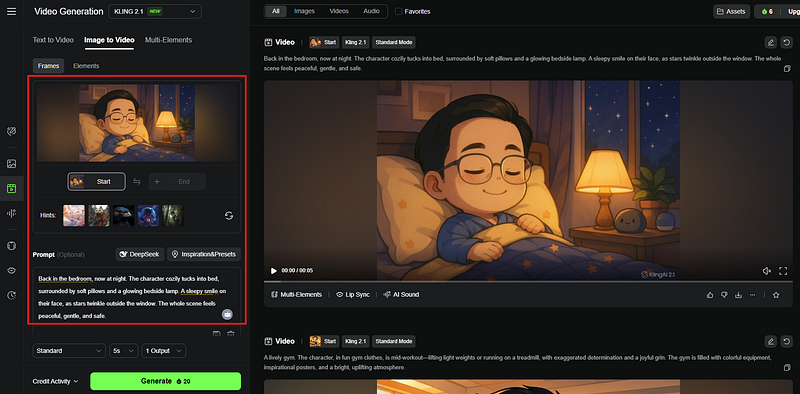
- Result
- นำทุก Scence มาต่อกันด้วย Canva, CapCut หรืออื่นๆ
- ถ้าอยากได้เสียง อาจใช้ Google AI Studio ช่วย หรือ Tools อื่นๆช่วย
- อาจใช้ Generative AI ช่วยในขั้นตอนต่างๆเช่น
สร้าง Table: จำนวนฉาก | บทพูด | Prompt สร้าง VDO (Ref: https://www.youtube.com/shorts/xEQ5diIfgr8)
เขียนเรื่องเล่าเกี่ยวกับ {ระบุหัวข้อ} โดยมีความยาว {ระบุเวลา} วินาที แบ่งฉากทุก ๆ {ระบุเวลา} วินาที และเขียน Prompt สำหรับสร้างวิดีโอในแต่ละฉาก พร้อมบทพูด โดยทำมาเป็นตารางที่มีคอลัมน์ จำนวนฉาก, บทพูด, Prompt สร้างวิดีโอ
สร้างบทพูด ภาพ ท่าทางพิธีกร (Ref: https://web.facebook.com/reel/4018113991777822)
ให้คุณเป็นผู้เชี่ยวชาญด้าน Script Writer เขียนบทพูดสำหรับวิดีโอ {ระบุประเภท} ความยาว {ระบุเวลา} เนื้อหา {ระบุหัวข้อ} สไตล์การพูด {ระบุสไตล์} ใส่จังหวะหยุด การเน้นเสียง การใช้ท่าทาง ทำให้ฟังแล้วไม่เบื่อ เขียนแบบพูดได้จริง
เผื่อใครไม่มี Idea ทำแบบนี้ก็ได้ครับ Link, Link,
5. Image to VDO (Link) (มี Credit free ทุกวัน)
- เข้าไปที่ https://dreamina.capcut.com/ai-tool/home/
- เลือก VDO AI → เพิ่มรูปภาพ
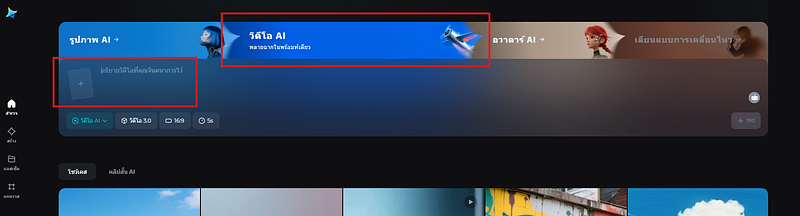
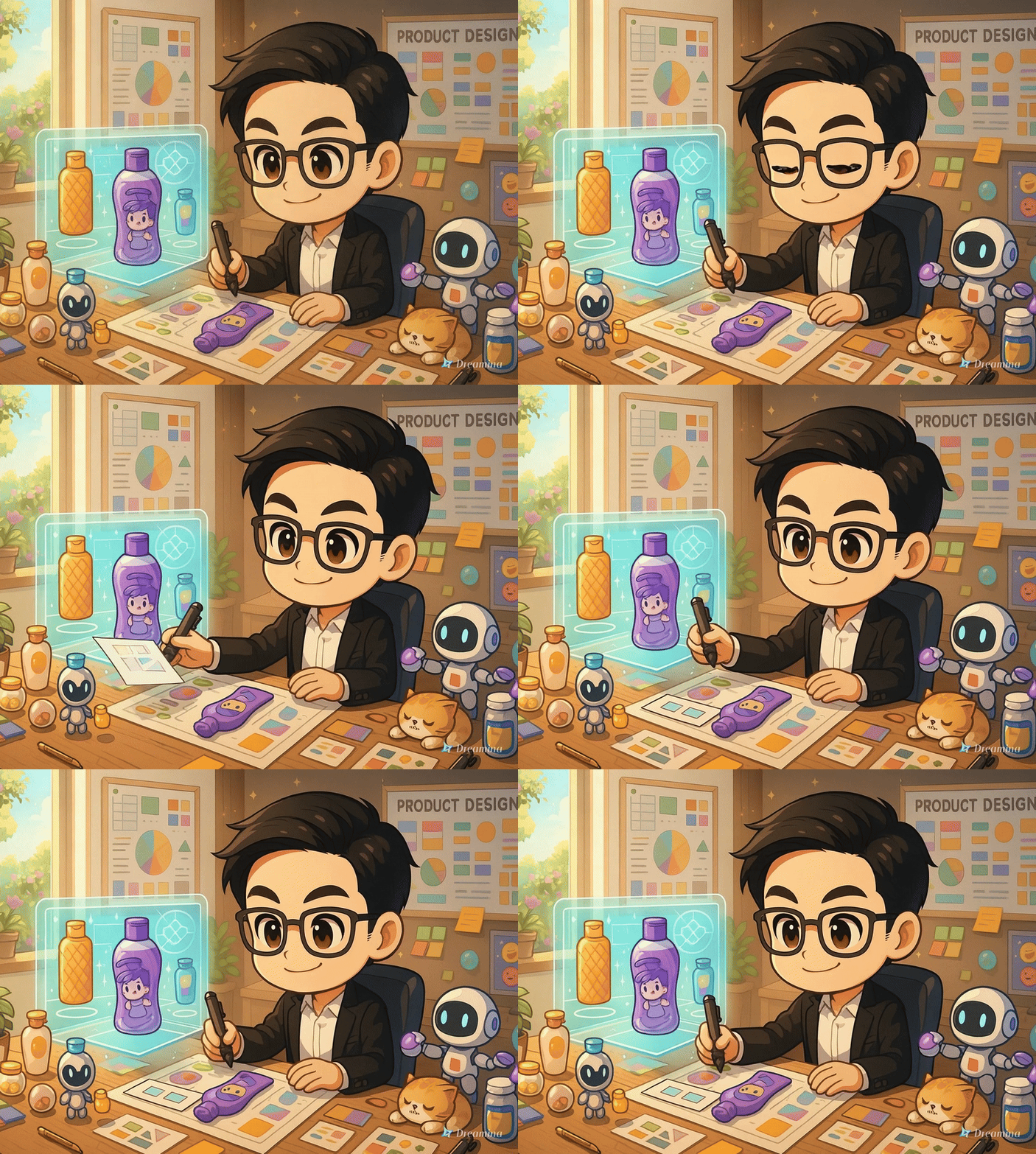
- ผมใส่ภาพ และ Prompt: He is designing the new product
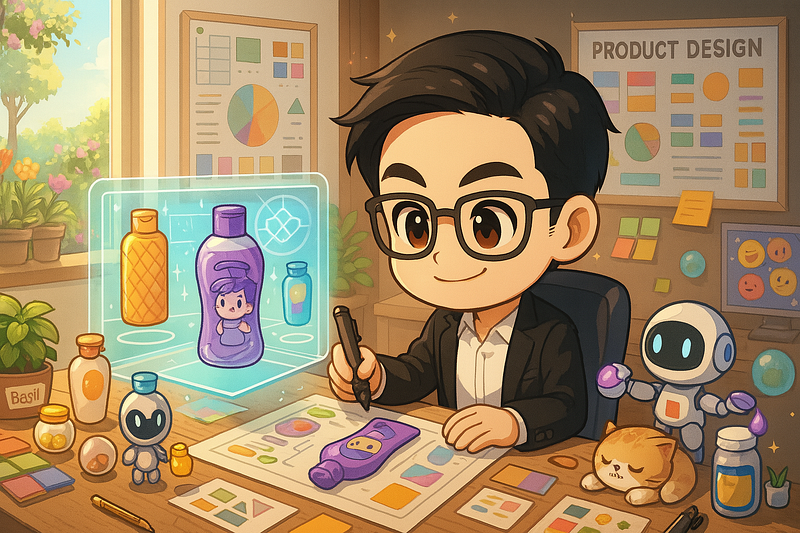
- Result
6. ASMR (Ref)
ASMR หรือ Autonomous Sensory Meridian Response คือประสบการณ์ทางประสาทสัมผัสที่ทำให้รู้สึกผ่อนคลายหรือเสียวซ่าน มักเกิดจากสิ่งกระตุ้นทางเสียงและภาพที่เฉพาะเจาะจง การสร้าง ASMR สามารถทำได้โดยเน้นไปที่การสร้างเสียงที่นุ่มนวล ชัดเจน เช่น เสียงกระซิบ เสียงเคาะเบาๆ หรือเสียงเสียดสีของวัตถุต่างๆ นอกจากนี้ การใช้ภาพที่ชวนให้รู้สึกสบายตา เช่น การเคลื่อนไหวช้าๆ การใช้สีโทนอ่อน หรือการแสดงพื้นผิวที่น่าสนใจ ก็สามารถช่วยกระตุ้น ASMR ได้เช่นกัน สิ่งสำคัญคือการทดลองและค้นหาสิ่งกระตุ้นที่เหมาะสมกับแต่ละบุคคล เนื่องจากความชอบใน ASMR นั้นแตกต่างกันไปในแต่ละคน
- เข้าไปที่ https://aistudio.google.com/ → เลือก “Generate Media” → เลือก “Imagen”
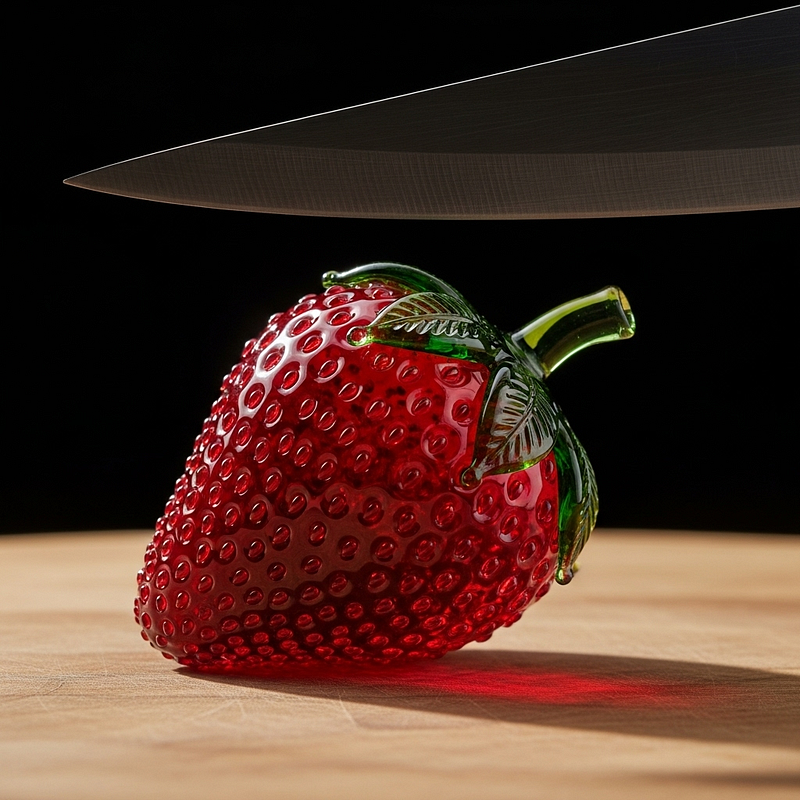
Extreme close-up macro photo of a sharp kitchen knife hovering slightly above a sculpted glass strawberry with ruby-red translucent body, tiny raised glass seeds, and a crown of semi-transparent green glass leaves, resting naturally at a slight tilt on a natural wood cutting board with clean grain texture, casting a soft contact shadow. The strawberry sits firmly with visible base contact, reinforcing realism. The glass object appears physically grounded in a natural pose influenced by gravity, not posed in any upright or unnatural angle. The glass strawberry is crafted entirely from ultra-clear, jewel-like translucent glass with high-gloss polished surfaces and intense light refraction. Studio lighting includes dramatic rim light, strong specular highlights, and deep shadows that emphasize surface depth and glass curvature. The background is pure deep black with no glow or halo, providing maximum contrast against the illuminated glass object. The knife is horizontal, perfectly still, ready to slice but not yet touching. Hyper-real macro detail, stylized for premium advertising photography.
- ไปที่ https://app.klingai.com/ → เลือก “Video Generation” → ใส่ภาพ + Prompt → อย่าลืมเลือกเป็น Professional Mode
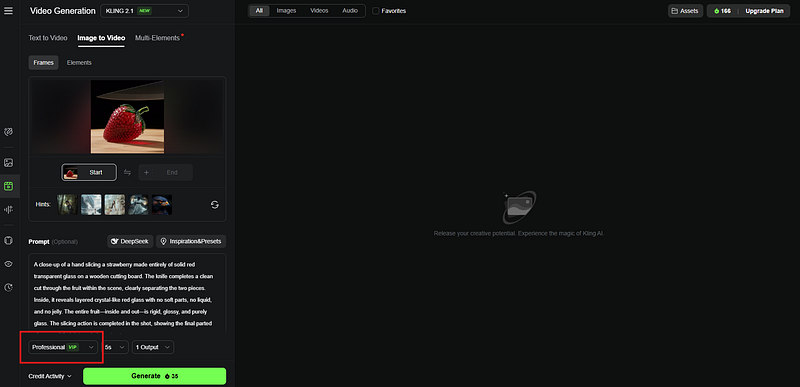
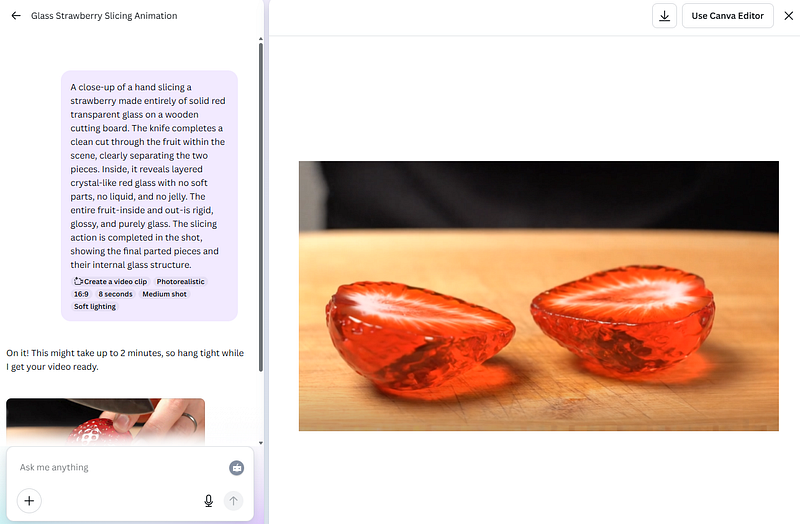
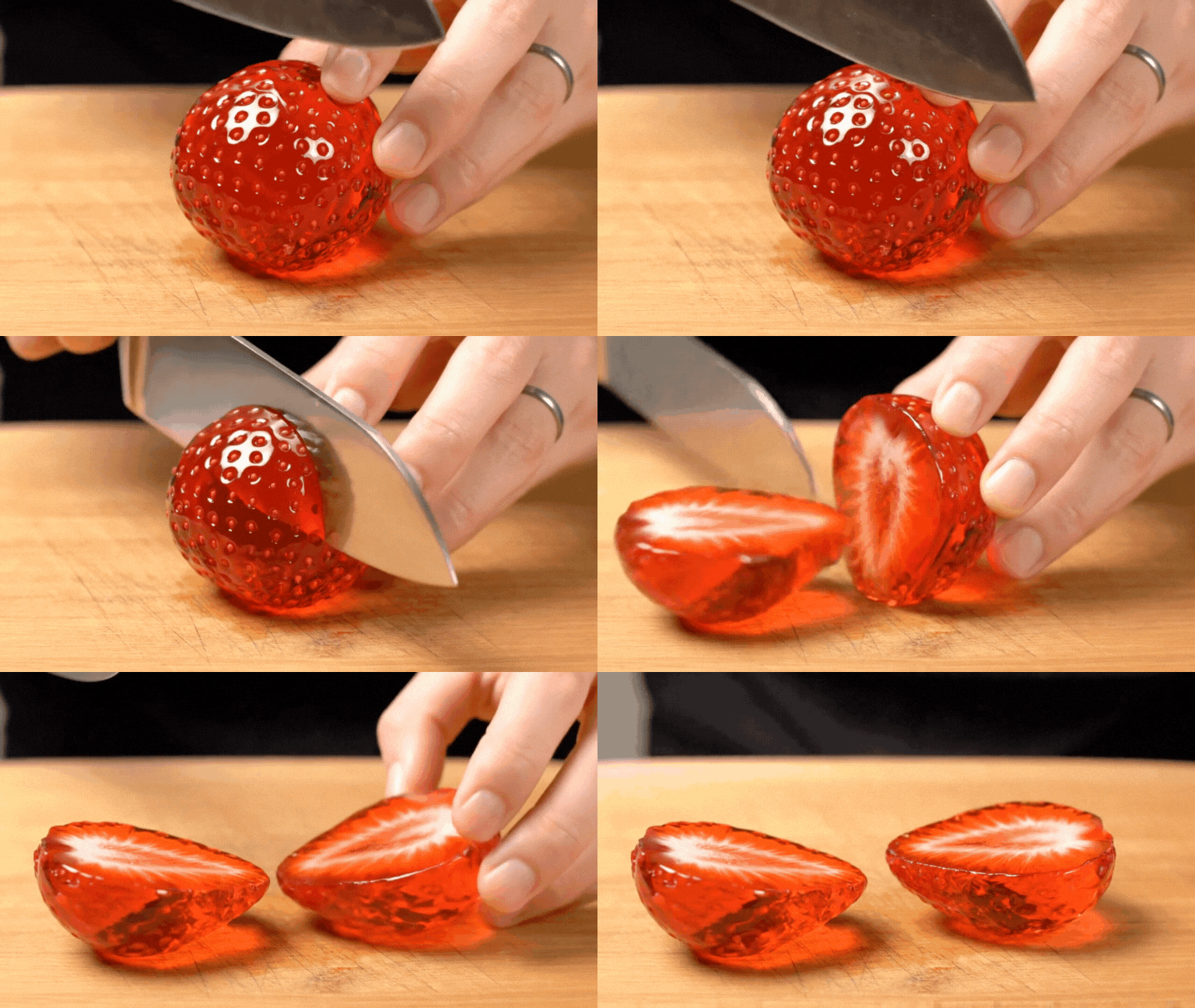
A close-up of a hand slicing a strawberry made entirely of solid red transparent glass on a wooden cutting board. The knife completes a clean cut through the fruit within the scene, clearly separating the two pieces. Inside, it reveals layered crystal-like red glass with no soft parts, no liquid, and no jelly. The entire fruit — inside and out — is rigid, glossy, and purely glass. The slicing action is completed in the shot, showing the final parted pieces and their internal glass structure.
- เนื่องจากรอนาน คิวไม่ว่างก็เลยใช้ VEO3 ละกันนะครับ
ASMR แนวอื่นๆ → Link, Link, Link
หรือตัวอย่าง use case อื่นๆที่น่าสนใจ
- ตัวอย่างการ Mix Application ต่างๆเผื่อสร้าง VDO: Link, Link, Link, Link, Link, Link, Link, Link, Link, Link, Link, Link, Link, Link, Link, Link, Link, Link, Link, Link, Link, Link, Link, Link, Link, Link, Link, Link, Link, Link, Link, Link, Link
ถ้าใครอยากลองทำตามแบบนี้ Link ด้านล่างคือ Prompt
- สร้างรูป
Create an image of a person sitting behind a desk in their room. The person is centered on the screen at eye level, facing forward. A laptop is placed on the desk. Behind the person is a window. The image should be in 9:16 vertical format for TikTok."
- Style: [e.g. 2D anime, 3D cartoon, realistic]
- Person: [e.g. boy with hoodie, girl with long hair, non-binary person with glasses]
- Room style: [e.g. purple LED lights, cozy with posters, minimalist modern]
- What's outside the window? [e.g. city at night, snowy mountains, rain, sunset]
- Clothing: [e.g. hoodie, suit, pajamas]
- Desk items: [e.g. coffee mug, plant, books, phone
- สร้าง Voice ใน ElevenLab → ใช้ Hedra สร้าง Animation โดย Prompt ว่า
Animate this cartoon character in a workspace with a laptop, as seen in the image. The animation should feature:
Realistic and natural facial expressions that match the tone of the audio.
Precise lip-syncing, with the character's mouth movements perfectly aligned to the speech.
Expressive eye and eyebrow movements, including natural blinking and subtle changes to convey engagement and emotion.
5. รวม Template ต่างๆ
- Klingai.com
- เปลี่ยนภาพเป็นฟิล์มการ์ตูน (Instant Film): Link
- Transit something to something เช่น ส้มเป็นแมว: Link
- เปลี่ยนภาพเป็น Art Toy (Anime Figure): Link
- เปลี่ยนภาพเก่าเป็น Animation (Yesterday): Link - Higgsfield AI
- ภาพจากมุมสูง จาก Drone (FPV DRONE): Link - Vidu AI
- เปลี่ยนภาพแนว Minecraft (Craft World): Link - Pixverse
- เปลี่ยนภาพเป็น Ghibli Anime (Ghibli Live!): Link - Varoriya
- ทำภาพเก่าให้เป็นภาพใหม่ (RELIFE): Link - Mobile Application (มือถือ)
- Tiny Human make something: Link, Link
6. Prompt ที่น่าสนใจของ MidJourney: Link
3. เครื่องมือ AI อื่นๆ ที่น่าสนใจสำหรับงานวิดีโอ
Prompt ใน Link 1
Realistic and natural facial expressions that match the tone of the audio.
Precise lip-syncing, with the character’s mouth movements perfectly aligned to the speech.
Expressive eye and eyebrow movements, including natural blinking and subtle changes to convey engagement and emotion.
Fluid head movements, including slight tilts and nods, to make the character appear attentive and lively.
Natural arm movements: the character should occasionally gesture with their hands when making important points and sometimes reach for the coffee mug.
Arm and hand movements should be smooth, proportional, and anatomically correct, avoiding any stiffness or distortion.
นอกเหนือจากการสร้างวิดีโอจากเริ่มต้น ยังมีเครื่องมือ AI อีกมากมายที่ช่วยทุ่นแรงในขั้นตอนต่างๆ ของการผลิต → Link
- Opus Clip → AI สำหรับการสร้างวิดีโอสั้นจากคลิปยาวโดยอัตโนมัติ
- Veed.io → โปรแกรมตัดต่อวิดีโอที่มีฟังก์ชัน AI สำหรับสร้างซับไตเติ้ลอัตโนมัติ
- Media.io → แพลตฟอร์มตัดต่อวิดีโอที่มีฟังก์ชัน AI สำหรับการลบองค์ประกอบที่ไม่ต้องการ
- Runway AI → “ตัวตึงของ AI ในสายวดีโอและกราฟิก” ที่รวมเครื่องมือ AI หลากหลายประเภทไว้ด้วยกัน
- AnyoneSwap → AI ที่สามารถเปลี่ยนรูปหน้าจากคนหนึ่งไปเป็นอีกคนหนึ่งได้
- AniEraser → ลบ Object ออกจาก VDO (Ref)
- MiniMax.io → clone เสียง (Ref, Ref, Ref, Ref)
- Dora Studio → Visualization Animation (Ref)
หรือถ้าใครอยากลงลึกไปอีก ก็ลองศึกษาจาก Clip นี้ดูครับ Link
4. ฟีเจอร์ AI น่าสนใจใน CapCut
CapCut แอปพลิเคชันตัดต่อยอดนิยม ก็ได้ผสานฟีเจอร์ AI ที่มีประโยชน์เข้ามามากมาย
- AI Retouch (แต่งหน้า-ปรับผิวเนียน) → Link
- AI Storyboard → Link (แต่ใช้ของ VEED ดีกว่านะ), Link
- AI Lip Sync → Link, Link, Link
- แหล่งข้อมูลและบทเรียนอื่นๆ → Link, Link, Link, Link
5. AI เกี่ยวกับงาน VDO อื่นๆ
- Myinstants: เพิ่มเสียง Effect → Link
- Storyboard: สามารถใช้ ChatGPT สร้างได้นะครับ → Link
- รวบรวมงาน VDO ที่ผมชอบ → Link
- ReRoom → แต่งห้อง (Free plan: 3 ครั้งต่อวัน) → Link
- อีกอันก็ดี แตเหมือนไม่มี Free: collov.ai (limit แค่ 2 ภาพ) → Link - Boomcut AI → ปรับหน้า ปรับภาษา สำหรับ Live สด → Link
- AI Agent → มีคน Review ไว้นะครับ → Link
- 3D Model → เปลี่ยนรูปเป็น 3D model → Link
- Elevenlab → งานเสียงต่างๆ → Link
- Pic CoPilot → เอานางแบบมาใส่ Product (ไม่มี Credit เติมนะ) → Link
- Meta FAIR → Animated Drawings → Link
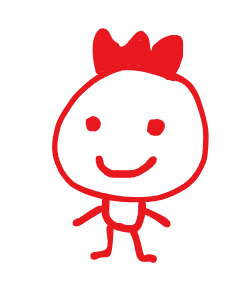
ภาพต้นฉบับ
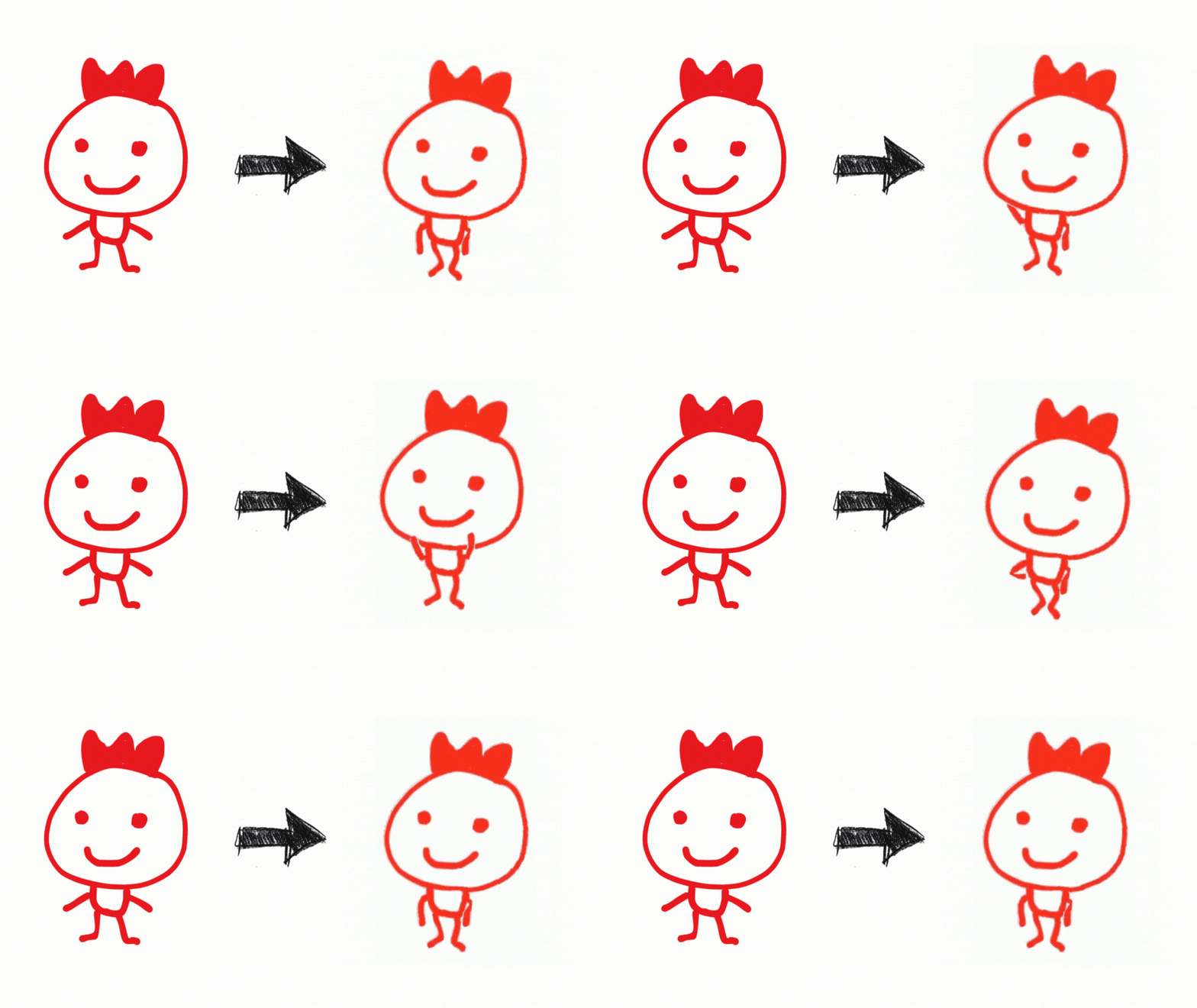
Result
โลกของ AI สำหรับงานวิดีโอกำลังพัฒนาไปอย่างก้าวกระโดด เครื่องมือที่เรานำมาเสนอในวันนี้เป็นเพียงส่วนหนึ่งที่แสดงให้เห็นถึงศักยภาพอันน่าทึ่งของเทคโนโลยีนี้ หวังว่า EP นี้จะเป็นประโยชน์และเป็นแรงบันดาลใจให้ทุกท่านได้ทดลองนำ AI ไปปรับใช้ เพื่อยกระดับความคิดสร้างสรรค์และเพิ่มประสิทธิภาพในการทำงานวิดีโอของคุณนะครับ
Data Science Explore the world of data science with Donato_Story
Dashboard Discover the power of data visualization with Donato_Story
Donato_Journey Join me on my journey (Thai version)
Course_Review Discover the training courses with Donato_Story (Thai version)
Let’s Connect!
Your thoughts and feedback are invaluable. Feel free to share them in the comments or connect with me on
- 🌐 Medium: medium.com/donato-story
- 📘Facebook: web.facebook.com/DonatoStory
- 💼 Linkedin: linkedin.com/in/nattapong-thanngam
Originally published on Medium
Related
CSS 101
เปลี่ยนหน้าเว็บ HTML ธรรมดา ให้สวยสะดุดตาด้วย CSS (ฉบับมือใหม่)

Everyday Text Use Cases with ChatGPT (EP2)
การประยุกต์ใช้ Generative AI ในชีวิตประจำวัน
GenAI Tools & Tips Beyond ChatGPT (EP2)
พามารู้จัก Generative AI ฝั่ง Google
GenAI Tools & Tips Beyond ChatGPT (EP4)
ตัวอย่างเครื่องมือ AI สำหรับงาน: สไลด์, Infographic, ดนตรี และผู้ช่วยการเรียนรู้